
The POS that closes the sale: every charge, a native Dolibarr invoice
TakumiPos is a touch-friendly, responsive POS for Dolibarr. On checkout, the sale is materialized as a native invoice with its payment reconciled and the stock decreased, in one atomic close. It reuses your catalogue, your third parties and your accounting: it duplicates nothing and there is nothing to reconcile afterwards.
|
0
half-finished sales: the close is atomic
|
8
interface languages
|
V14 – V24
tested up to 24.0.1
|
365
days of updates included
|
The problem it solves
A POS that does not talk to the ERP makes you do the work twice: you charge in one place and invoice in another. What you sold in the morning turns up in the afternoon on an invoice you have to type by hand, and the stock lags behind reality. TakumiPos closes that gap: it charges and invoices in the same act.
| What you run into |
What it costs you |
| You charge on the POS and then type the invoice into Dolibarr |
Double work, typos from retyping and sales that end up never invoiced. |
| The stock you see on the POS is not the stock in the warehouse |
You sell what you do not have, or stop selling what you do have, and the inventory never adds up. |
| The cash count is done from memory at the end of the shift |
Mismatches that turn up days later, with no trace of who or when. |
Selling and invoicing are not two tasks, they are the same one. TakumiPos is not a POS that then exports to Dolibarr: it is Dolibarr charging.
NEW
The look, on a par with Takumi Desktop
The POS no longer looks the same everywhere. There are six built-in themes (Classic, Panels, Contrast, Receipt, Combined and High visibility) with light, dark or follow-system mode, different for the whole store and for each terminal. In the editor you see the real POS repainting as you touch the settings, with no saving and no reloading. You can create your own themes from a built-in one, and they import and export in the same JSON as Takumi Desktop: a theme travels between the two. The advanced layer adjusts density, corners, typography, buttons, animations and one colour per family, and takes your business logo in the top bar. Contrast stays at 4.5:1 or better, machine-checked across the twelve theme and mode combinations.
How it looks
Real screens of the POS in action: the sale, the checkout, the cash close and restaurant mode.
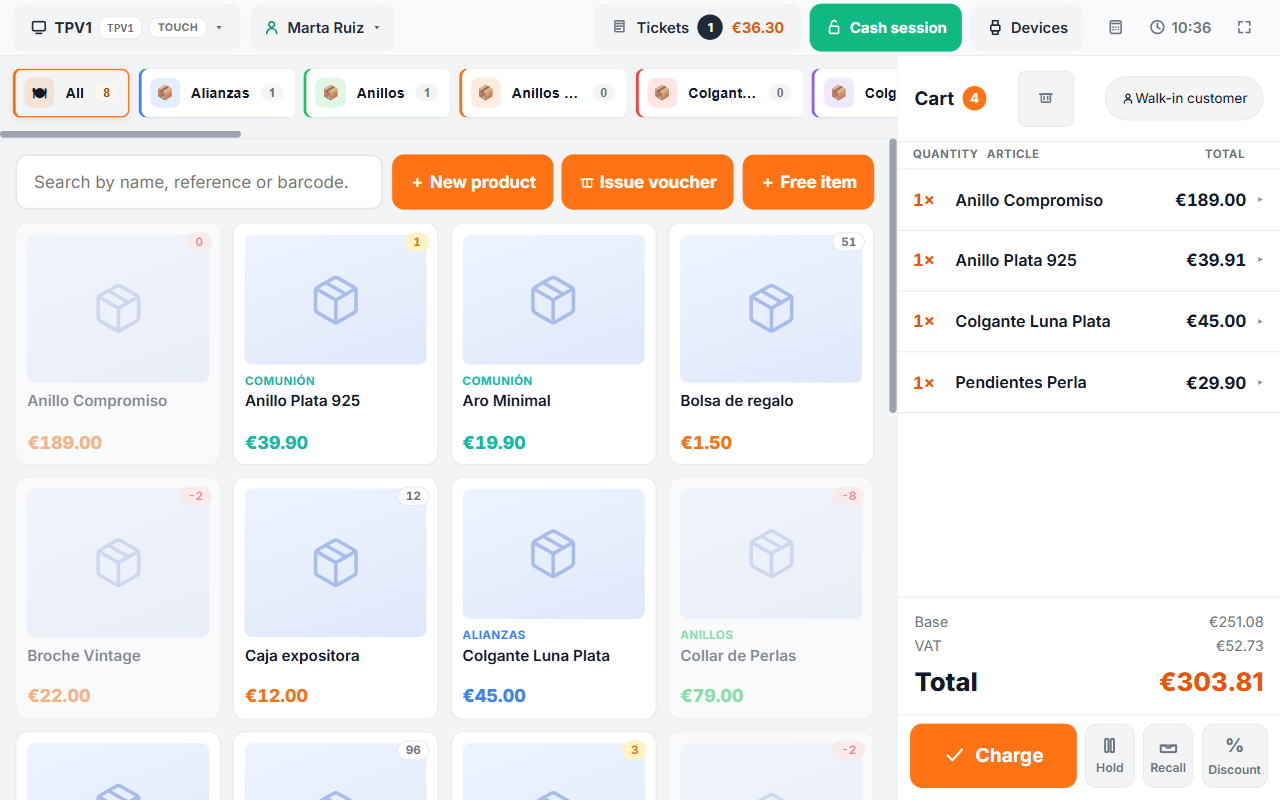
The catalogue by category with the order alongside: line discount, totals and VAT worked out on the server.
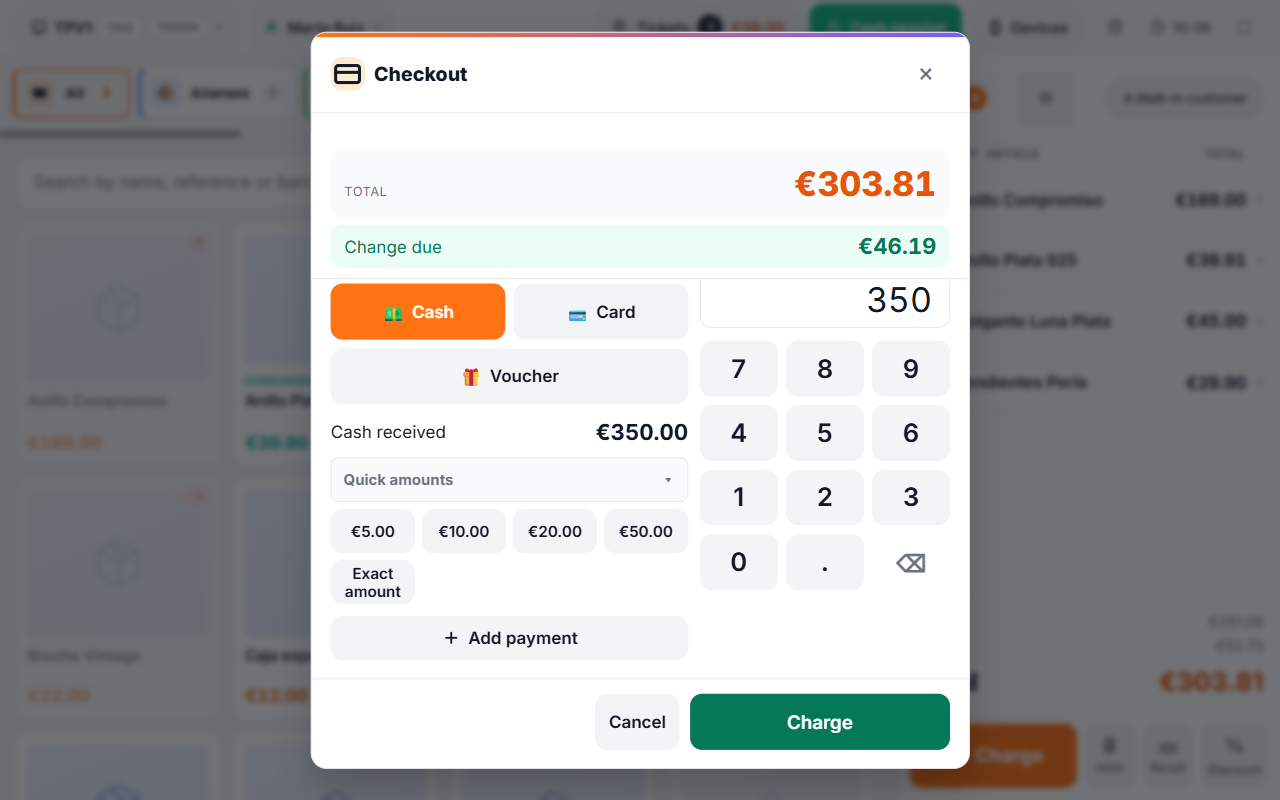
Cash with change calculation, card, split or partial payment and vouchers, on the sale total.
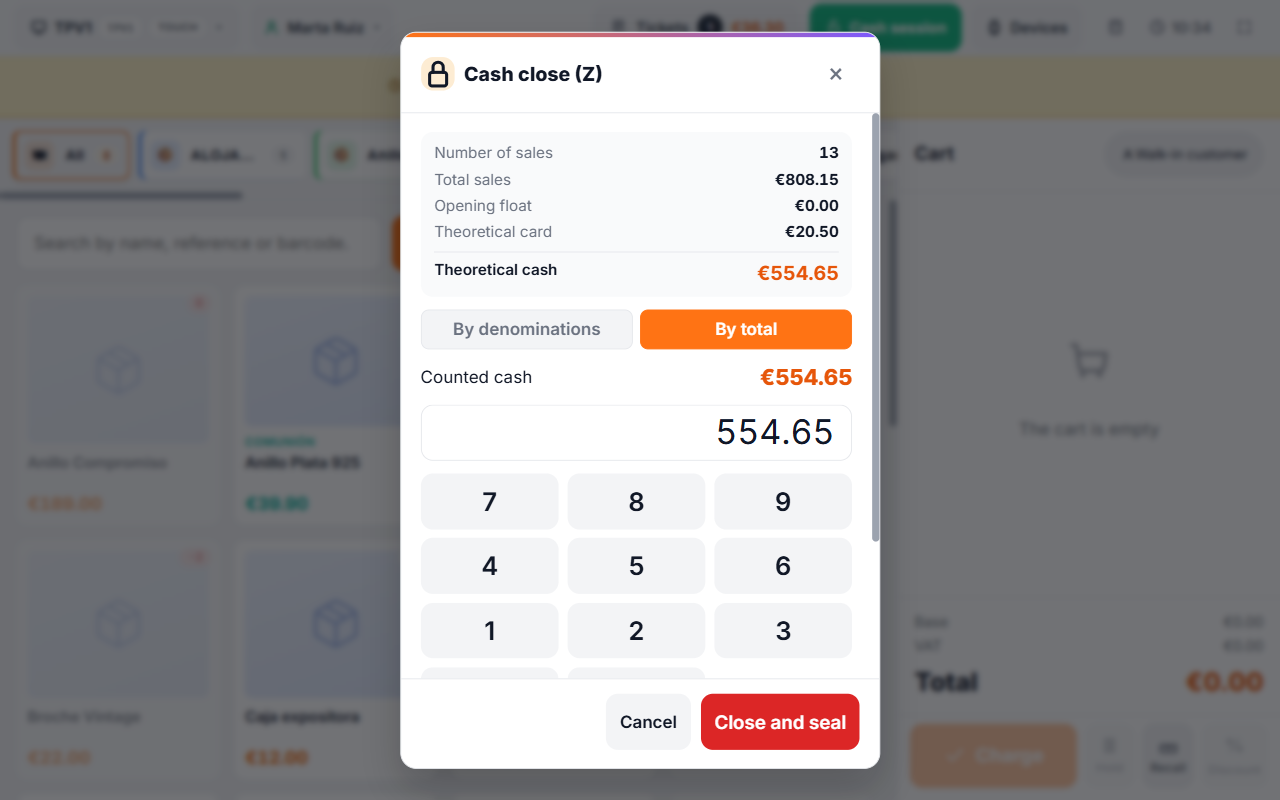
The cash count: the server's expected figure against the counted one, and the session is sealed without deleting a single sale.
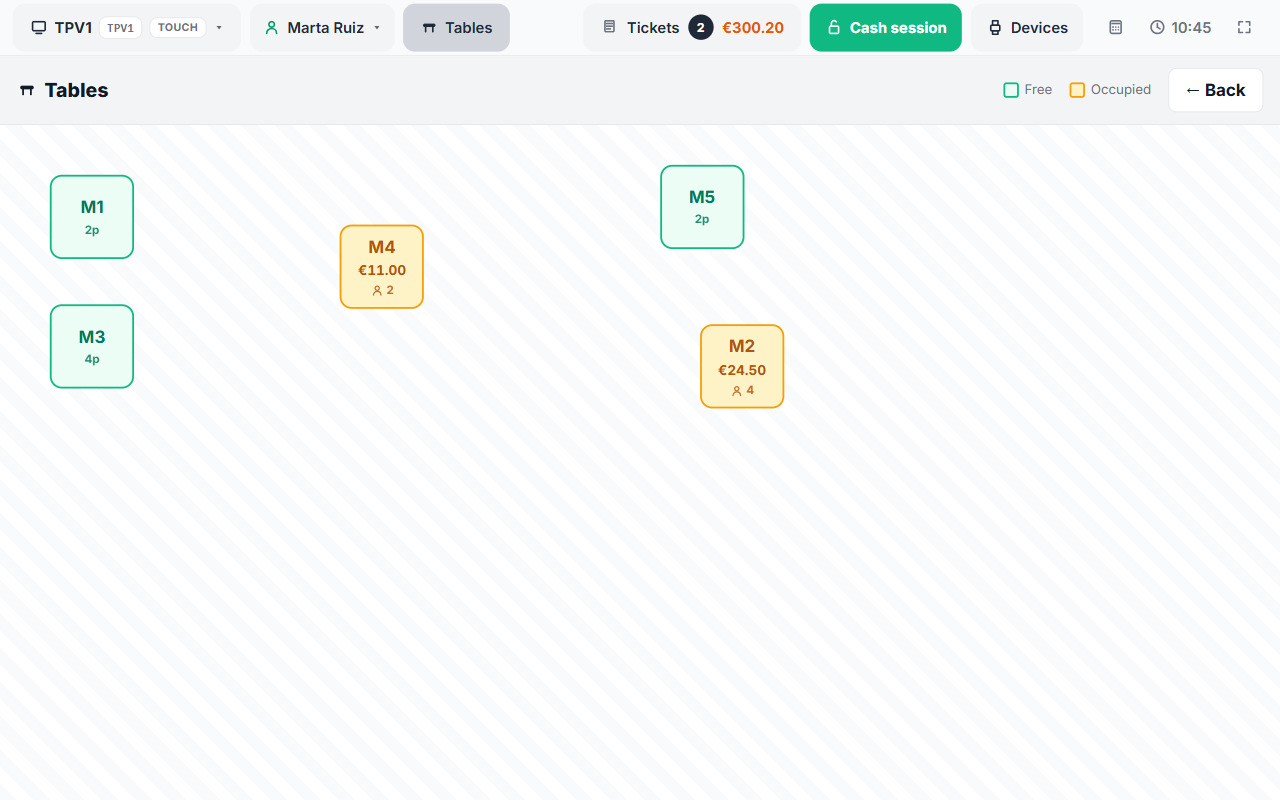
Rooms and a table plan with positions, occupancy and the amount on each bill.
On video
Six videos in Spanish recorded on the POS up and running. They play without installing anything.

1 · TakumiPOS: the craft of selling well
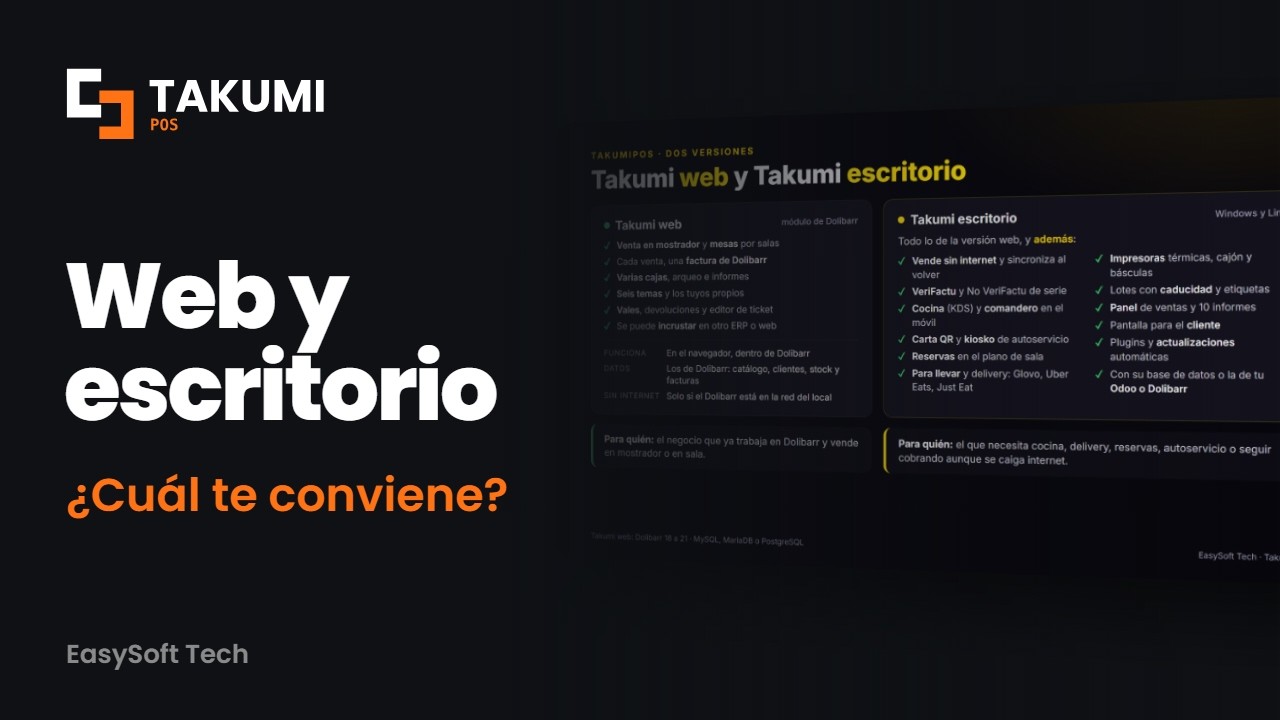
2 · Takumi web or Takumi Desktop: how they differ
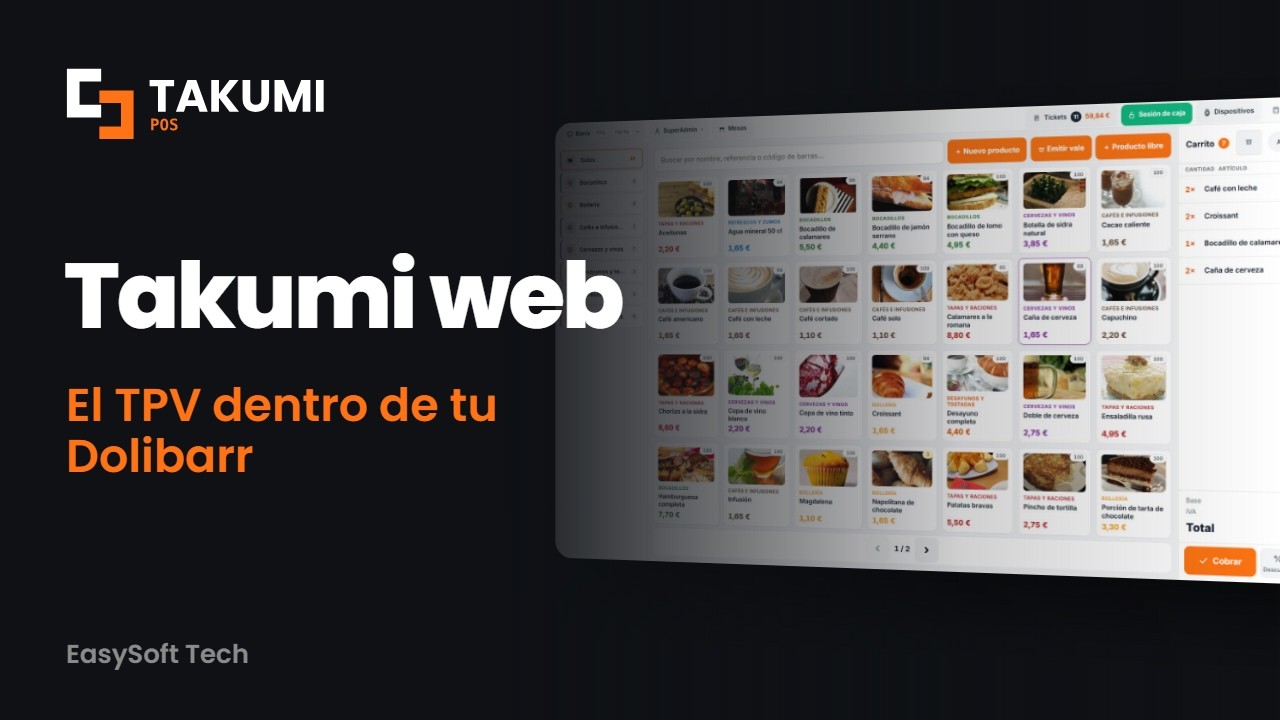
3 · Takumi web: the POS for Dolibarr, everything it does

4 · Takumi Desktop: POS for hospitality and retail
5 · How to sell with Takumi web, the Dolibarr POS

6 · Takumi Desktop: how you work day to day
The full series, in the playlist TakumiPOS – POS and point of sale for Dolibarr. The detail of every version, at takumipos.com.
Compared with a POS that is not Dolibarr
| Area |
External POS (with export or retyping) |
TakumiPos |
| The sale reaches the accounting |
Through an overnight export, or by typing the invoice in by hand |
In the same act: native invoice, reconciled payment and stock decreased |
| A sale cannot be left half-finished |
Not available |
Atomic close: either invoice, payment and stock go in, or there is no sale |
| Stock |
Kept separately and reconciled by hand |
Decreased from your Dolibarr stock in the same charge |
| Customer and catalogue |
Two lists you have to keep in parallel |
The same third parties and catalogue as Dolibarr, with their prices and taxes |
| Adding a button or a payment method |
It depends on the vendor |
Hooks, triggers and REST API: your own module adds it without touching the POS |
| Printing |
Whatever the device brings, and if not, by hand |
Browser, ESC/POS over the network and EasyHardware Bridge |
What's included
You charge and it is already invoiced
Every sale is materialized as a native Dolibarr invoice (Facture), with its payment reconciled and the stock decreased in one atomic close. The sale points to that invoice through fk_facture and the close is idempotent: if the order already has an invoice, it returns it instead of charging twice. Refunds and credit notes always go against the original invoice.
The till balances itself
A session with an opening float, cash in, cash out and expense movements, and a close that compares the server's expected figure with the counted one. Sales are sealed: they cannot be deleted to make the cash count come out right. Vouchers and gift cards are redeemed as a payment method without throwing the shift off.
It works at the counter and at the table
Retail mode with a catalogue by colour-coded categories, product photo, search with autocomplete, barcode scanning, free sale without a product record and an optional button board with a drag-and-drop editor. And restaurant mode: rooms and floors with a visual floor plan, diners per bill and separate charges, by lines or split evenly.
It adapts to your ERP, not the other way round
The catalogue, the third parties and the accounting are still Dolibarr's. A third-party module can react to every step with hooks (takumiposBeforeAddLine, takumiposAfterPayment, takumiposBuildTicketData and more), to the close with the TAKUMIPOS_SALE_CLOSED and TAKUMIPOS_REFUND triggers, or integrate through the REST API, with its own buttons in six areas of the interface.
Receipt with QR, ready for your fiscal module
The receipt comes out with its tax QR, on screen and on the thermal printer, and the sale can be issued as a simplified invoice with a check on the legal limit. TakumiPos does not sign the fiscal record: your compliance module provides it through a hook slot. It works out of the box alongside the VeriFactu module from EasySoft Tech S.L. (simplified F2 invoice, chained hash and QR on both receipts).
What it is used for
- Counter retail: shops, boutiques and kiosks that want the invoice on the spot.
- Hospitality: bars and restaurants with tables by room and bills split between diners.
- Public-facing services (hairdressers, fast-fit garages) with free sales, vouchers and gift cards.
- Chains with several terminals on the same ERP and a single set of accounts.
- Businesses that issue simplified invoices and need the receipt with QR compliant with their fiscal module.
Getting started
1
Copy the takumipos folder from the ZIP into htdocs/custom/, or install it from Dolistore.
2
Activate TakumiPos in Home → Setup → Modules/Applications. It needs Invoices, Banks, Products, Stock and Categories turned on.
3
Create the terminal (the register): default customer, payment account and warehouse. You can have several, each with its own printer and its own theme.
4
Open the cash session with the opening float, add items and charge. The invoice, the payment and the stock close in the same act.
Requirements
| Dolibarr |
14 to 24 · tried from 14.0.5 to 24.0.1 |
| PHP |
7.4 to 8.3 |
| Database |
MySQL 5.7+ · MariaDB 10.2+ · PostgreSQL 10+ |
| Dolibarr modules |
Invoices, Banks, Products, Stock and Categories |
| Interface |
Vue 3 already compiled inside the module: no Node needed on the server |
| Updates |
365 days of access to updates |
Before you buy
Can I adapt it to my case?
Yes. You get the full source code and you can read it, modify it and adapt it without asking permission, on top of the hooks, the triggers and the REST API.
How do I try it without risking my data?
We will say it plainly: charging really writes (it creates the invoice, the payment and the stock movement). To try it without touching your accounting, do it on a copy of your Dolibarr: there you can make a full sale, see the receipt and close the till.
What if something does not fit my installation?
Write to us at
info@easysoft.es before buying and we will look at it with you. We would rather tell you it does not fit than sell you something that will not help you.
What happens when the 365 days are over?
The module keeps working exactly the same: nothing gets switched off. What expires is access to updates and downloads. If you want to keep receiving new versions, you renew; if not, you keep the last one you have.
Frequently asked questions
Do I need Node.js or anything else on the server?
No. The interface runs on Vue 3, but it arrives already compiled inside the module: on the server you only need PHP and your usual Dolibarr. It does not call any outside service either.
Does the sale end up as a real invoice, or as a receipt of its own?
As a native Dolibarr invoice, the same one you would make by hand, with its payment reconciled and the stock decreased. It is not a document of its own that you then have to reconcile: it is one more Facture in your ERP.
Does it work offline?
No: the POS talks to your Dolibarr on every operation, which is what guarantees that the invoice and the stock are the real ones. Offline mode is not among the features of this version; if your point of sale often loses its connection, tell us before buying.
How do I update to a new version?
Copy the new version over the old one and then disable and re-enable TakumiPos in Modules/Applications: that way Dolibarr applies the schema migrations.
Actively maintained
Version 1.51.1, published on 8 October 2026. The compatibility range is not declared by eye: it is checked on real installations from 14.0.5 to 24.0.1 before every release. The module's automated suite passes 38 cases per feature and 195 checks on amounts, VAT and sanitising, and the full touch suite (Playwright) is run against real Dolibarr and MariaDB in containers, at three resolutions. Every version ships with its ChangeLog and its updated user guide in the same batch.
|
31
modules published on Dolistore
|
100 %
full source code
|
8
interface languages
|
365
days of updates
|
Is it right for what you need?
Tell us about your case —how many terminals you run, which Dolibarr version and whether you use tables or simplified invoices— and we will tell you whether TakumiPos fits. And if it does not, we will tell you that too.
info@easysoft.es www.easysoft.es
