
No products
* Prices may vary depending on your country.
* An additional contribution can be added at the time of payment.
Product successfully added to your shopping cart
There are 0 items in your cart. There is 1 item in your cart.
Product successfully added to your shopping cart
There are 0 items in your cart. There is 1 item in your cart.
New products
-
Ultimatelingua 24.0
Learn German, English and Spanish in Dolibarr with short lessons in the style of the language apps: multiple choice, translation, words in order and matching pairs, with pronunciation, XP, streaks, medals and a weekly ranking. 18 courses from A1 to C2 included, for French speakers.
120.00 € -
Dashboard – A modern home page and indexes for DolibarrNSINFO Dashboard –
New: breadcrumb of the elements viewed. Give a new look to the home page and indexes of Dolibarr: grouped indicators, widgets you move and resize like windows, a 3 / 6 / 9 / 12 column grid, display templates. No Core modification.
100.00 €
ExpeditionPallets
c23546d20220328195842
Manage shipments from tertiary packaging, taking into account different types of pallets, documentation needs, and the management of stocks of the involved materials in pallet packaging. It also normalizes weight and volume metrics to suit the scale of mass trasport modalities.
|
|
More info...
If you need help or clarification on the operation of this module, you can contact federico.garcia.patino@gmail.com
Note: The module uses a JSON data type at the database level. JSON data type is not supported with MariaDB. If you use MariaDB, please replace the JSON data type for a LONGTEXT data type for the pallet_content field in the expeditionpallets_expeditionpallets table.
You can can replace the expedition_pallets.sql file content for this one:
CREATE TABLE llx_expeditionpallets_expeditionpallets(
rowid integer PRIMARY KEY NOT NULL,
ref varchar(128) NOT NULL,
date_creation datetime NOT NULL,
tms timestamp,
fk_user_creat integer NOT NULL,
fk_user_modif integer,
last_main_doc varchar(255),
model_pdf varchar(255),
status smallint NOT NULL,
pallet_content LONGTEXT
);
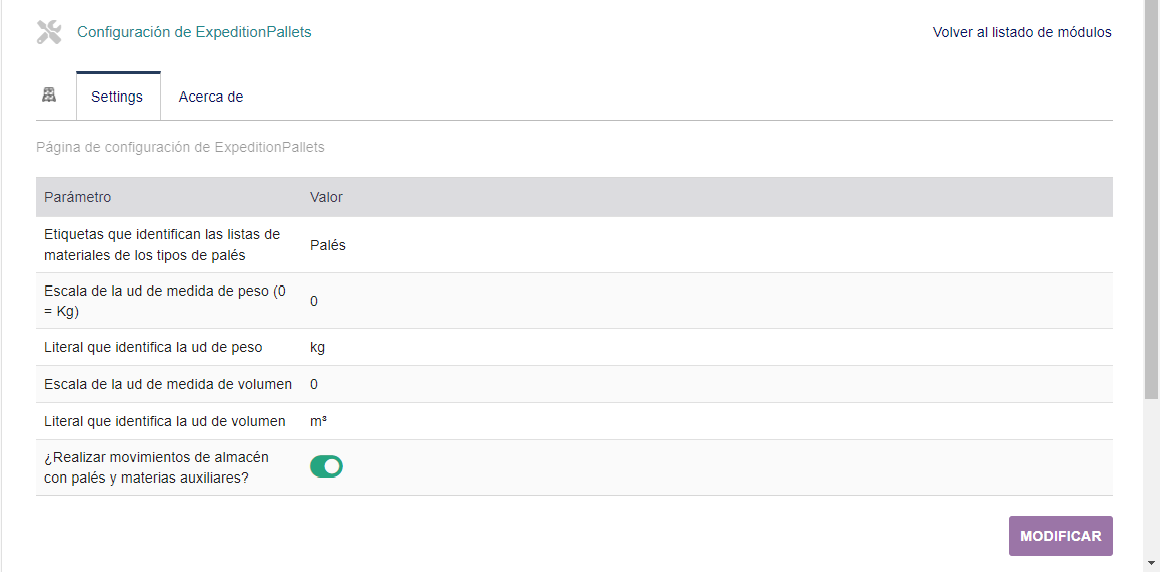
Settings
Bills of materials set a product as a result of the consumption of the materials associated with it. The example figure shows the material configuration of a EUR 1 type pallet, marking the pallet base used as the material application object. According to this list of materials, to produce a pallet type EUR 1 with a result on its base, the following auxiliary materials are taken into account:
- A fastening strap
- 15 meters of plastic to wrap
- 3 cardboard dividers to improve weight distribution and package settlement
Expeditions
Once we have all the necessary elements, to be able to work with pallets, we only need to access the file of an expedition, where a new tab called "pallets" will appear.
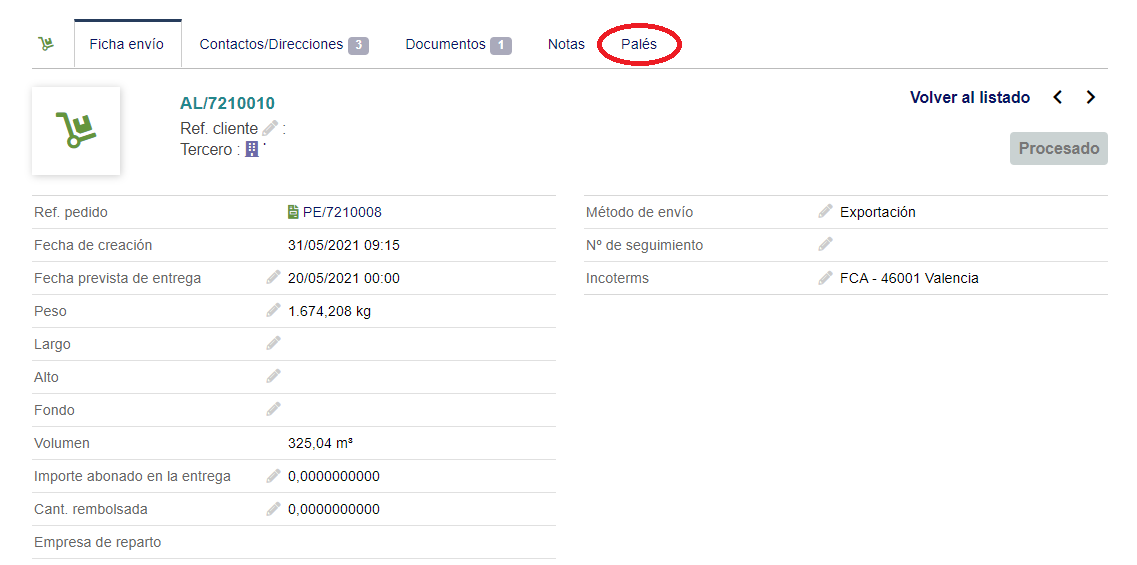
By clicking on the link in the tab we will directly access the pallet configuration of the content of the shipment.

The information section at the top left offers information on the status of the pallet configuration for shipment, and allows you to modify the units of weight and volume in which the load of the pallets for shipment will be expressed. Additionally, it is possible to establish if you want the description of the product batches to appear in the documentation that is generated from the pallets (when the batch product management module is activated).
The "+" and "-" buttons at the bottom right allow us to add or remove pallets from the shipment. Deleting pallets deletes the last pallet that was created.
When adding a pallet, the controls that allow you to specify its characteristics and its load are displayed.

Selecting the type of pallet from among those configured in the bills of materials (BOM) shows the consumption of auxiliary materials that will be applied in the composition of the pallet (by default, the amounts established in the list of materials appear).
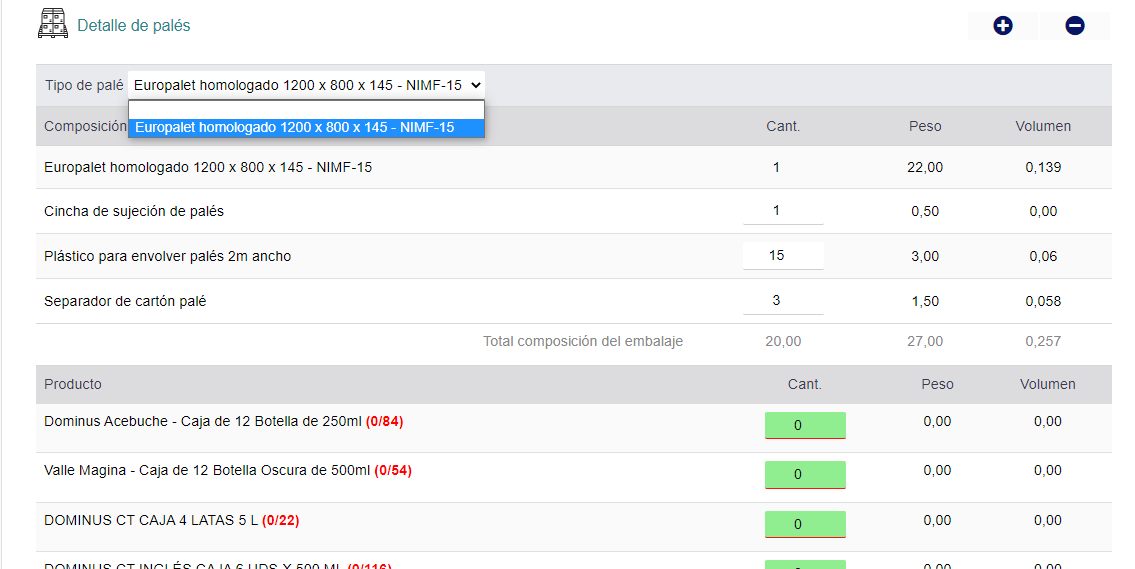
In the case described, the controls to indicate the load of products that the pallet will have are shown in green to indicate that it is an active area of the screen. By clicking on any of them, a screen is accessed where the batches of the contents of the shipment are displayed, specifying the specific quantities. In the event that the "use batches" option is not enabled, the quantities will be added directly.
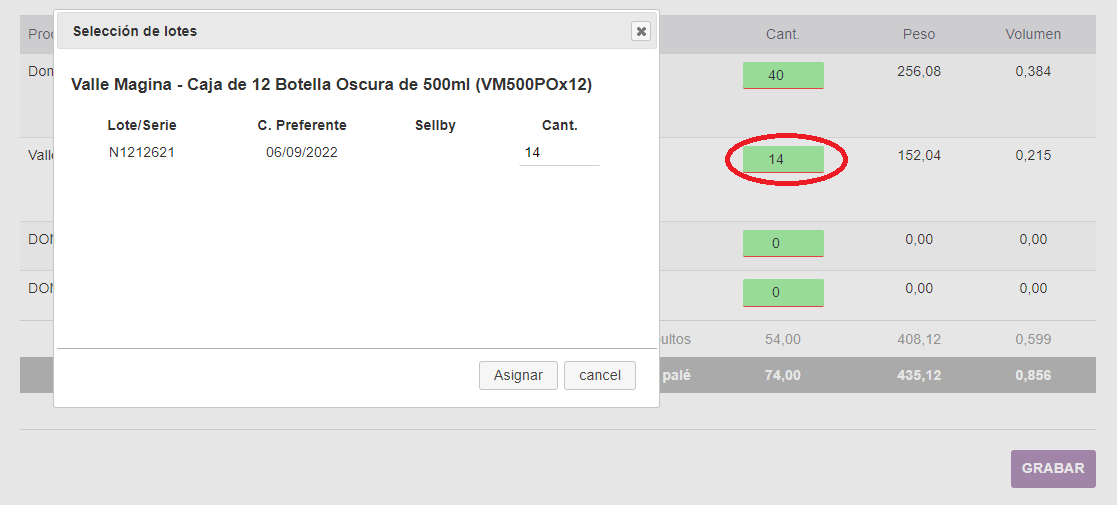
The "SAVE" action like the button that appears at the bottom right, next to the description of the pallets, allows you to save the changes to continue at another time without having to validate the information.
The "VALIDATE" action validates that the information describing the pallets is complete in relation to the shipment. Validation checks the following conditions:
- All pallets have a type
- That the total content of all the pallets is equal to the content of the shipment
Documentation
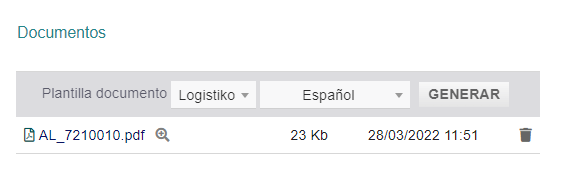
The validation of the pallets also implies the generation of the document that describes them, creating a unique document for each pallet that can be easily attached (by printing A4 adhesive labels, for example).
The generated document is produced from the template of the standard shipment notes, contemplating the showing in all cases the information of the shipment (header data, references, sender, consignee, public note, incoterms, or tracking number) , and it is saved in the file system destined for the ExpeditionPallets module with the same nomenclature as the expedition.
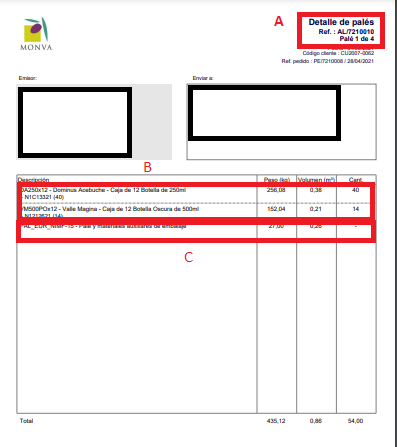
The detail of the document includes the product lines associated with the pallet (and its lots, if any), plus an additional line for the type of pallet used and the weight and volume it adds. The totalization is expressed in the established units of measure.
If you think this module is a fork of another one (published after the first one) or violates some terms or conditions of use (for users or vendors), you can make a report at dolistore@dolibarr.org