
No products
* Prices may vary depending on your country.
* An additional contribution can be added at the time of payment.
Product successfully added to your shopping cart
There are 0 items in your cart. There is 1 item in your cart.
Product successfully added to your shopping cart
There are 0 items in your cart. There is 1 item in your cart.
Categories
New products
Note Plus
mp1244d20251224031246
Extends Dolibarr's native notes function by allowing unlimited, highly secure notes on nearly any ERP element, with AES-256 encryption, personal/shared keys, PBKDF2 password management, and multi-company compatibility. IMASDEWEB.
|
|
More info...
🏛️ Publisher: Sergi Rodrigues (IMASDEWEB)
🌐 User interface language: English / Catalan / Spanish / Italian / German / French / Portuguese
📖 User Manual and DEMO Access: https://imasdeweb.com
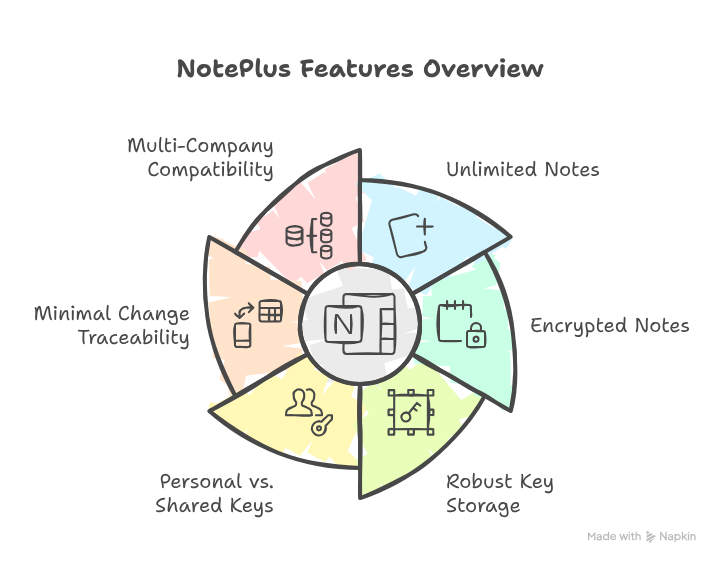
Module features:
This module is a complement to the native functionality that allows adding Notes to almost any element throughout the entire ERP. But with the following advantages:
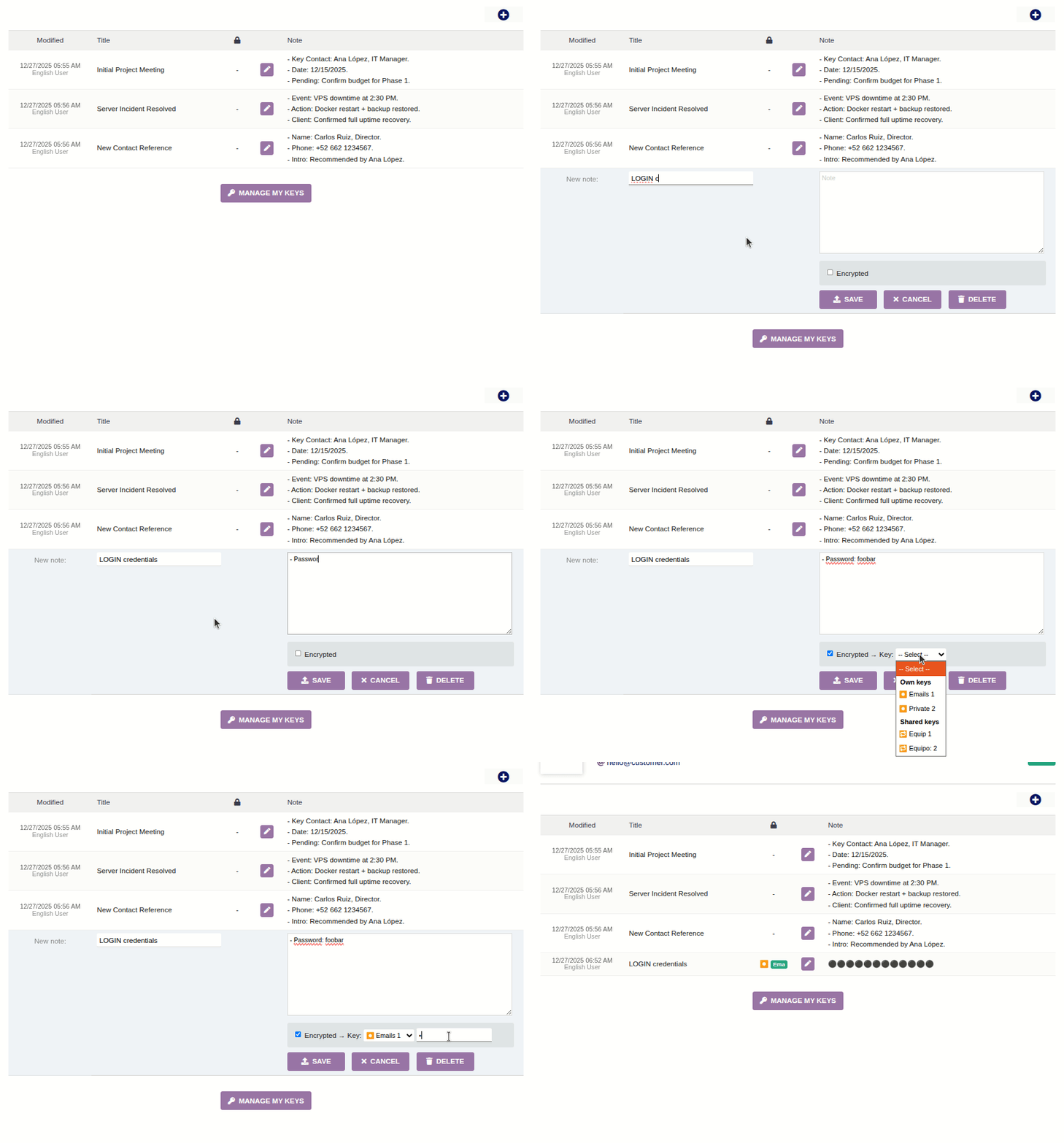
- Unlimited notes per element: Instead of just two notes (one Private and one Public), you can now add as many notes as you want for the same element.
- Encrypted notes: When adding a note, you can choose to encrypt it in the database with a passphrase that is not stored anywhere. This allows us to securely store highly sensitive information such as access credentials or API keys. For each user key, the module creates a very strong 256-bit key for AES encryption of their notes with that key.
- Robust storage of encryption key hashes: In the database, a super-enhanced hashed version is stored using the PBKDF2 algorithm with 600,000 iterations and a unique random "salt". The use of 600,000 iterations in PBKDF2 doubles the OWASP recommendation for 2025. So even if someone could access a backup of your database, it would require too much computational effort for a brute-force attack.
- Personal keys vs. shared keys: Each user can create as many encryption keys as needed. But they can also create keys for sharing. That is, notes encrypted with personal keys will only be decryptable by the user who created them, while those encrypted with shared keys are accessible to anyone who knows the key.
- Minimal change traceability: For now, only the minute and the user who made the last change to a note are stored. In the future, a change LOG could be added if there is interest in such functionality.
- Multi-company compatibility: Notes added to an element of a company are only visible for that company. And the keys that a user creates in a company are also only accessible when operating in that company.
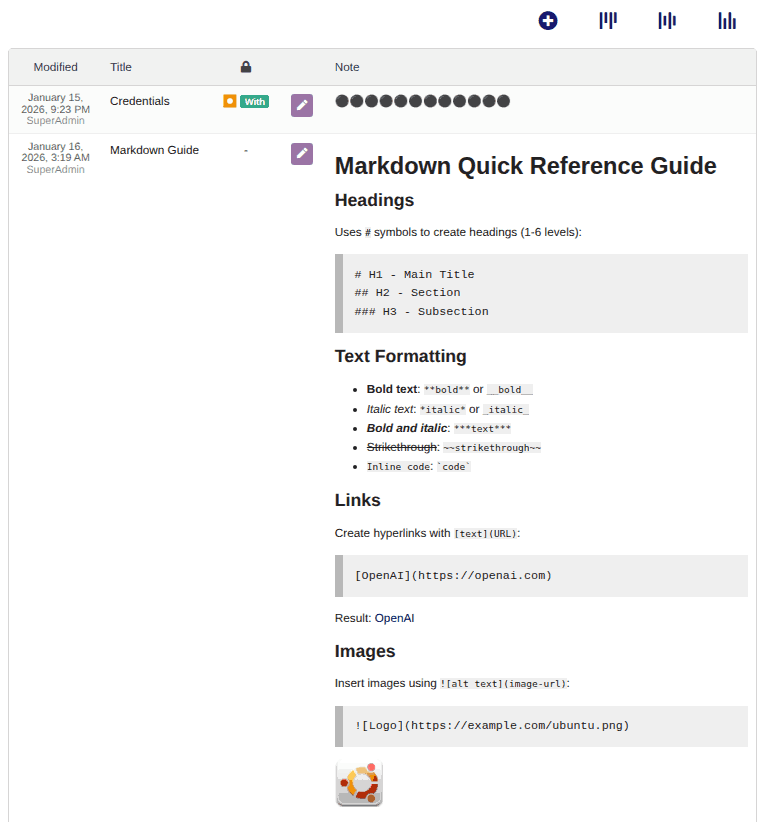
- Markdown compatibility: you can use the quick and simple Markdown format to make notes much more readable, including bold text, headings, links, images, etc.
Currently, the module allows adding "Note+" (plus notes) to the following native Dolibarr elements:
- Products, services
- Customers, suppliers, contacts, members, users
- Projects, contracts
- Quotations, customer orders, supplier orders
- Customer invoices, supplier invoices
- Calendar events
- Bill of Materials, manufacturing orders, workstations
- Tickets
How to install
- Upload the ZIP file through the Setup > Modules > Install external module
- Activate the module on Setup > Modules
How to update your installed module:
- Upload the ZIP file through the Setup > Modules > Install external module
- Deactivate and Reactivate the module on Setup > Modules
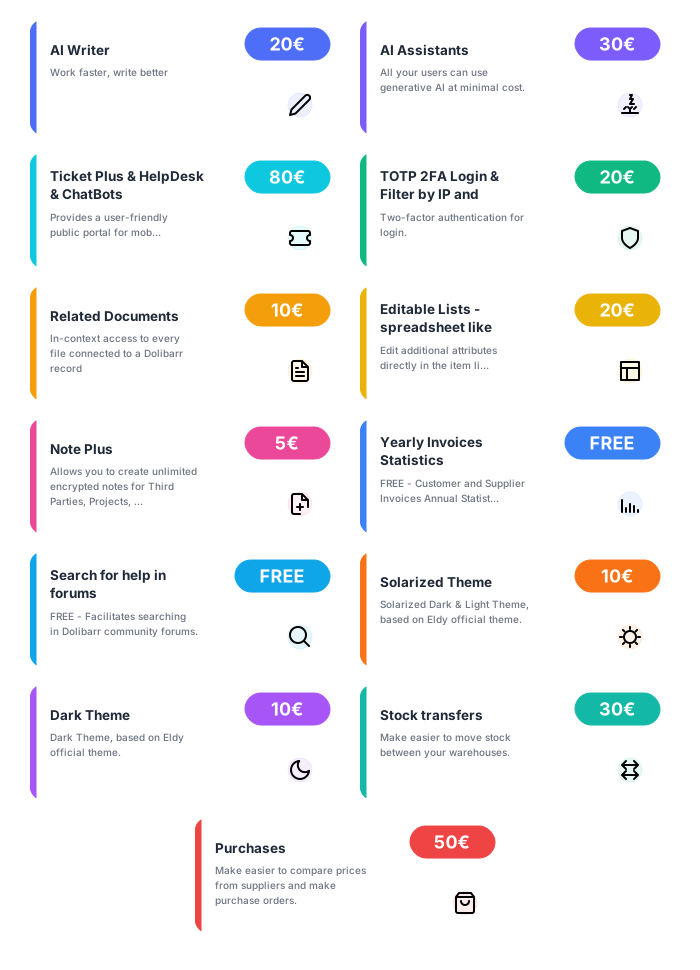
List of my modules for sale
If you think this module is a fork of another one (published after the first one) or violates some terms or conditions of use (for users or vendors), you can make a report at dolistore@dolibarr.org