
No products
* Prices may vary depending on your country.
* An additional contribution can be added at the time of payment.
Product successfully added to your shopping cart
There are 0 items in your cart. There is 1 item in your cart.
Product successfully added to your shopping cart
There are 0 items in your cart. There is 1 item in your cart.
Categories
New products
CustomTabs : personalized dynamic tabs
c718d20180425080342
CustomTabs allows the addition of additional tabs on the Dolibarr element sheets (clients, products, ...) as a form or a list. Template and document management (GED) can be added. The access rights to the tabs are managed by groups of users. Data entered in tabs can be used in .odt documents
|
|
More info...
|
Module presentation presentation video
The CustomTabs module enhances Dolibarr ERP/CRM by allowing the addition of custom tabs to item sheets, such as third parties, products, orders, invoices, projects, and many others. These tabs offer increased flexibility to adapt the interface to the specific needs of your organization.
Main features:
Adding custom tabs:
Integrate your own tabs on item cards, allowing for customized information organization.
Custom field management:
The fields contained in these tabs replicate the functionality of Dolibarr's native additional fields, ensuring consistency in data management.
User access settings:
Control access to custom tabs based on user groups, with separate rights for reading, editing and deletion, thus strengthening the security and relevance of the information displayed.
Flexible display:
Choose between a card or list presentation for each tab, with import/export functions and the ability to use formatting templates for advanced customization.
Document manager integration:
Incorporate a document manager into custom tabs, improving native document management in Dolibarr by limiting the view and access of user groups to relevant documents.
Latest developments of the module
| 24.0.+3.11.1 (2026-08) |
|
| 24.0.+3.11.0 (2026-07) |
|
| 23.0.+3.10.0 (2026-01) |
|
|
|
 French -
  English -
  Spanish -
  Italian -
  German
 Other modules may interest you
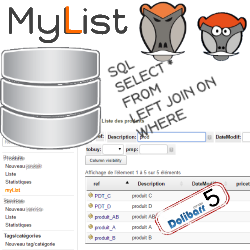 |
MyList allows the creation of personalized dynamic lists from the information contained in your database processed by an SQL query and makes them accessible from the Dolibarr menus. |
 |
This Module allows the mass updating of the sales prices of products/services based on their sales price, PMP or cost, by entering a multiplier coefficient. |
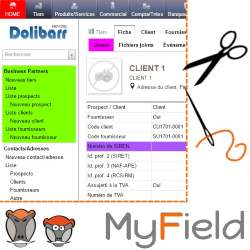 |
This module offers the possibility of customizing the native and additional fields of dolibarr as well as the menus and buttons |
 |
This module allows you to add fields based on SQL queries in Dolibarr files and lists. You can choose the label, content, type (numeric, date, etc.) and format of the data displayed. |
If you think this module is a fork of another one (published after the first one) or violates some terms or conditions of use (for users or vendors), you can make a report at dolistore@dolibarr.org