
No products
* Prices may vary depending on your country.
* An additional contribution can be added at the time of payment.
Product successfully added to your shopping cart
There are 0 items in your cart. There is 1 item in your cart.
Product successfully added to your shopping cart
There are 0 items in your cart. There is 1 item in your cart.
Categories
New products
TicketBAI - Invoice tax records for Álava, Bizkaia and Gipuzkoa
mp23914d20261121153322
New
TicketBAI for Dolibarr: every invoice signed, chained and with its QR, sent to the tax authority of Álava, Bizkaia (LROE) or Gipuzkoa.
|
|
Warning, this module may require you to pay for or subscribe to an additional external third-party service (see below)
Actualizaciones y soporte durante 365 díasMore info...
Every Dolibarr invoice recorded, signed and sent to your Hacienda Foral
TicketBAI for Dolibarr is the EasySoft Tech S.L. module for Álava (Araba), Bizkaia (Batuz and LROE) and Gipuzkoa. When you validate an invoice it builds its record, signs it with XAdES-EPES and your company certificate, chains it to the previous one and sends it to the Hacienda Foral, the tax authority of your territory. If it cannot build the record, it does not let you validate the invoice and tells you why. You pay once, and the price includes installation, configuration, a preliminary audit of your Dolibarr, 365 days of updates and support, and the Antifraude module.
|
3
foral territories in one module
|
140 and 240
Bizkaia LROE models, expenses included
|
XSD 1.2.2
every XML validated before it is stored
|
V16–V24
PHP 7.4–8.5
|
The problem it solves
TicketBAI requires every invoice to leave your software with its own record, signed with your certificate, chained to the previous one and carrying a QR code that lets anyone check it, and that record has to reach the Hacienda Foral of your territory. Dolibarr does not do this out of the box.
| What you run into | What it costs you |
|---|---|
| Dolibarr validates the invoice but does not generate the signed TicketBAI record or the QR code. | If your business is subject to TicketBAI, that invoice does not comply with the foral rules and you have to sort it out outside the ERP, one invoice at a time. |
| Each Hacienda Foral has its own service and rules: Kontsulta and Zuzendu in Gipuzkoa and Álava, the LROE in Bizkaia. | A tool built for one territory is no use in another, and an accounting firm with clients in all three ends up juggling several. |
| An intermediary gateway sends your invoices to the tax authority from its own servers. | Your invoices and your certificate go through a third party, and you pay a fee for as long as you use it. |
If you pay tax in Álava, Bizkaia or Gipuzkoa, your obligation is TicketBAI. Royal Decree 1007/2023, the VeriFactu decree, does not apply to taxpayers of the historical territories of the Basque Country (art. 1.3): the foral rules apply to them. That is why this module and our VeriFactu module cannot be active at the same time. The Antifraude module (RD 1007/2023), which is included, does not change your obligation either: TicketBAI enables it because it is the immutability layer of the invoicing system, which prevents a validated invoice from being modified or deleted, even from the database. If your tax domicile or your premises are spread across different jurisdictions, check with your tax adviser.
Sign with the certificate installed on Windows, without exporting it
With the EasySoft Tech S.L. certificate connector, the same one VeriFactu uses, the module asks the Windows computer where the certificate is installed for it every time it signs or sends a record, and the private key is not left stored on your server. While you use it, that computer and the connector must be switched on: if they do not respond, the invoice is not validated and the message tells you what is wrong. Uploading the certificate as .p12, .pfx or .pem is still the other option.
Authorized deferred sending in Gipuzkoa and Álava is also new. If your tax authority has authorized it, the records stay pending, the module prepares a ZIP with the files in chain order so you can import them in the tax authority's e-office before the 15th of the following month, and then checks with the tax authority which ones are already on record.
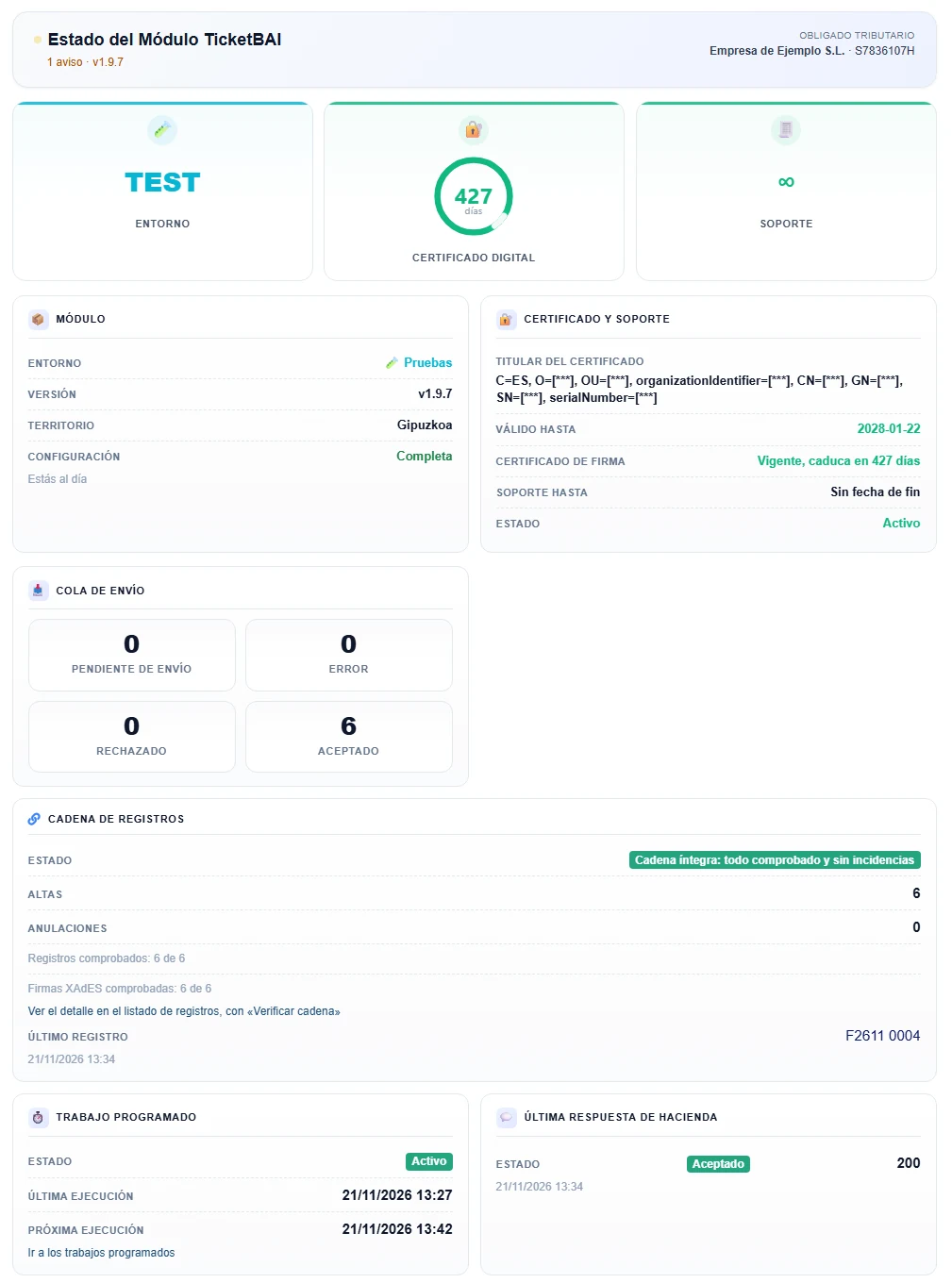
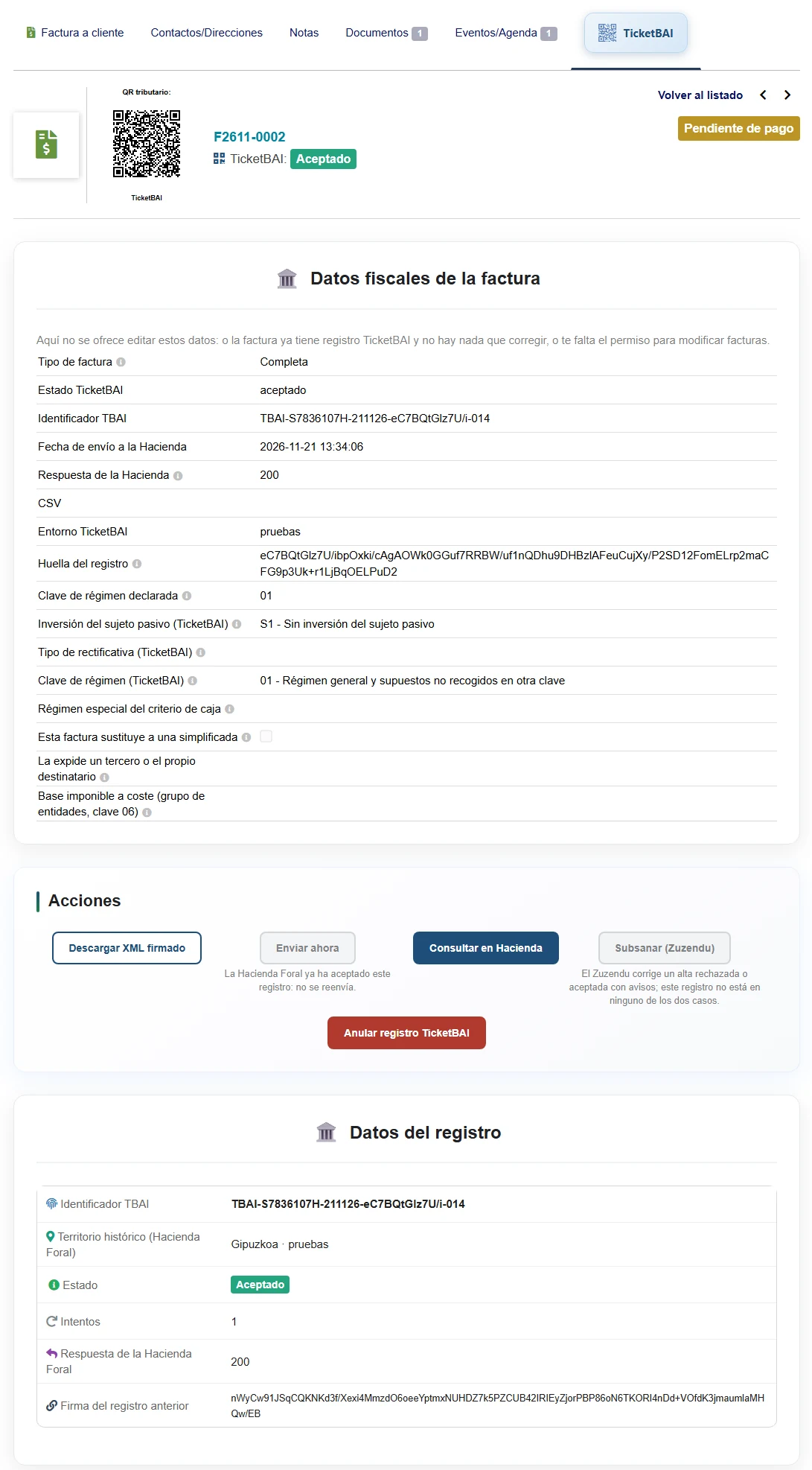
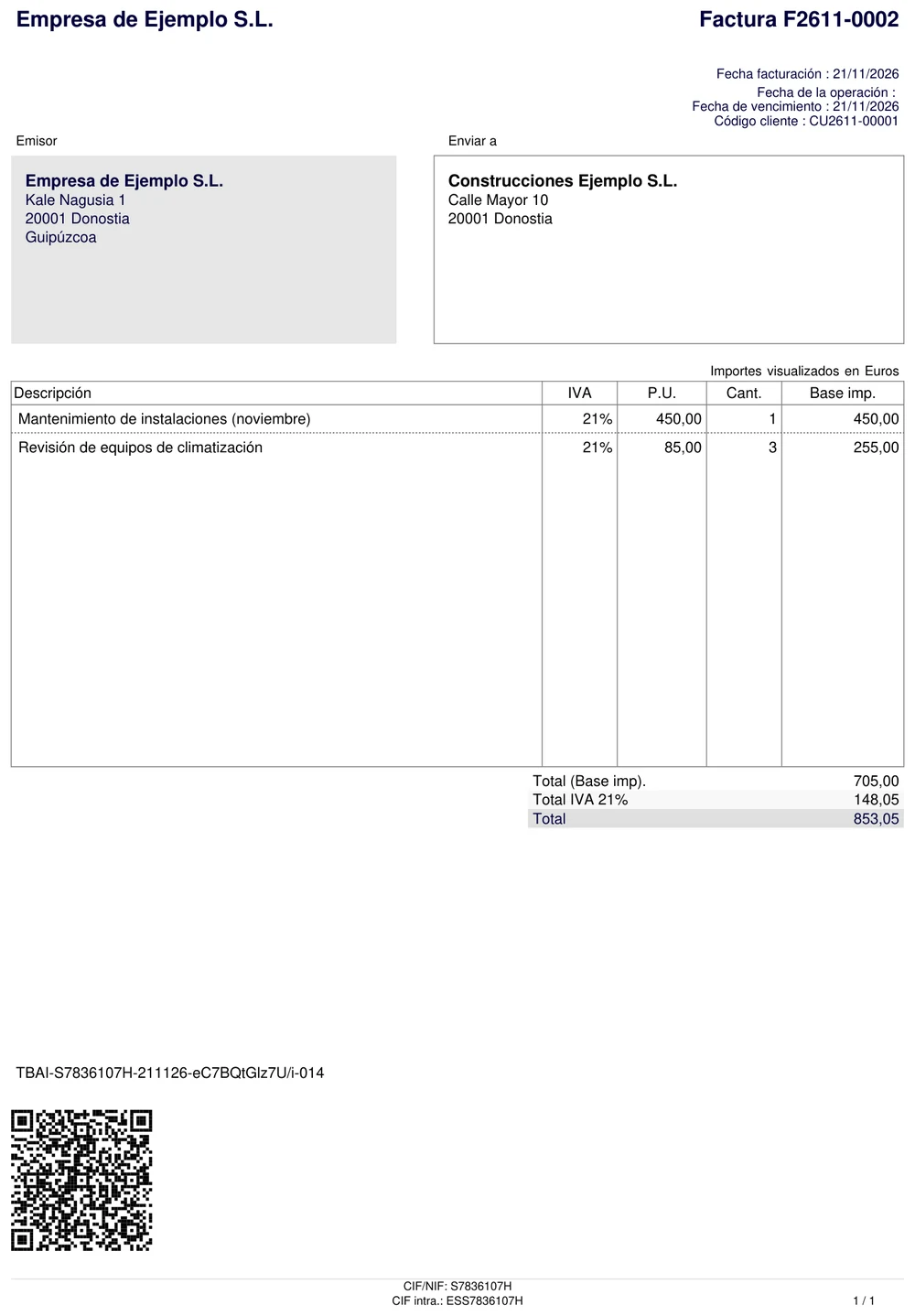
What it looks like inside Dolibarr
Screenshots from the Test environment, with fictitious data.
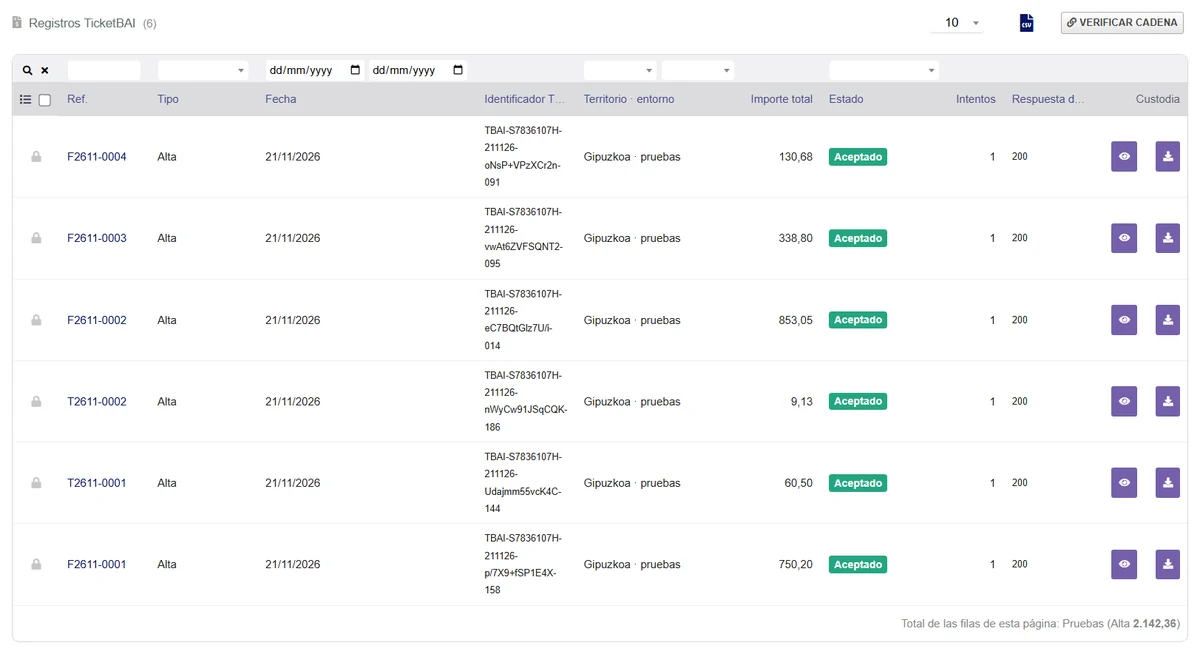
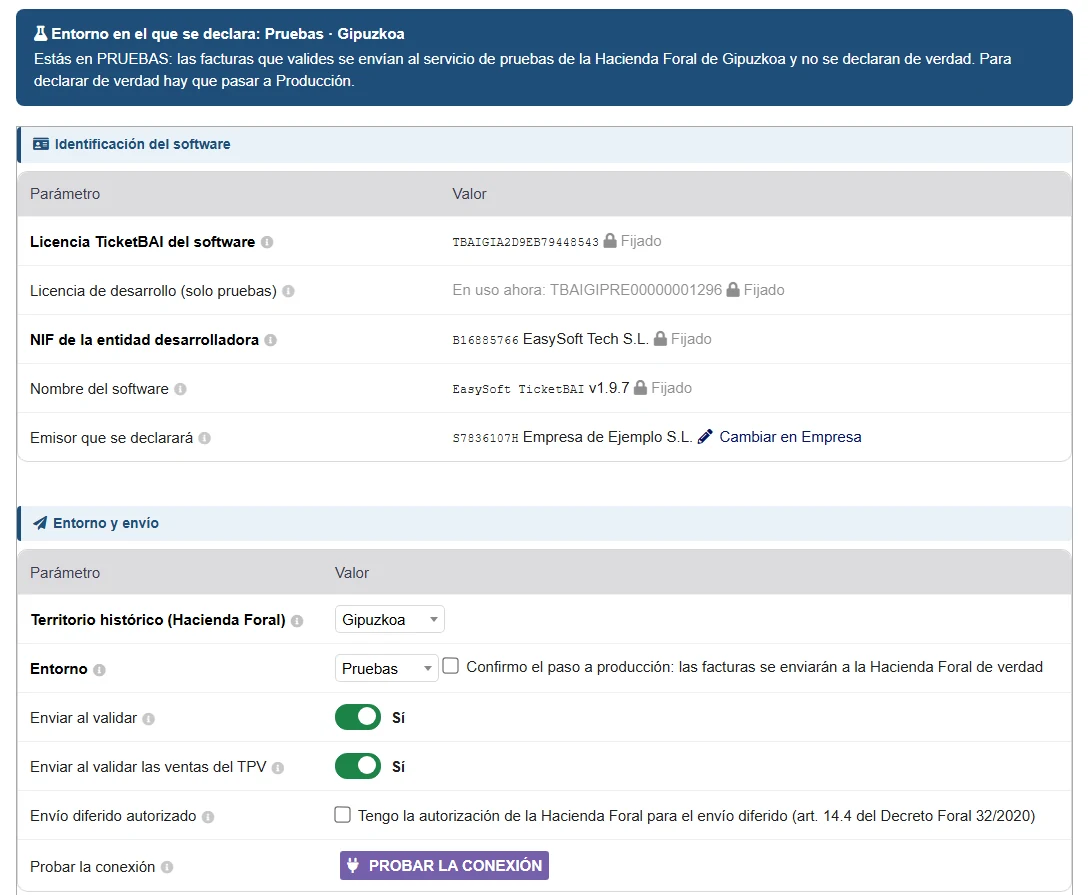
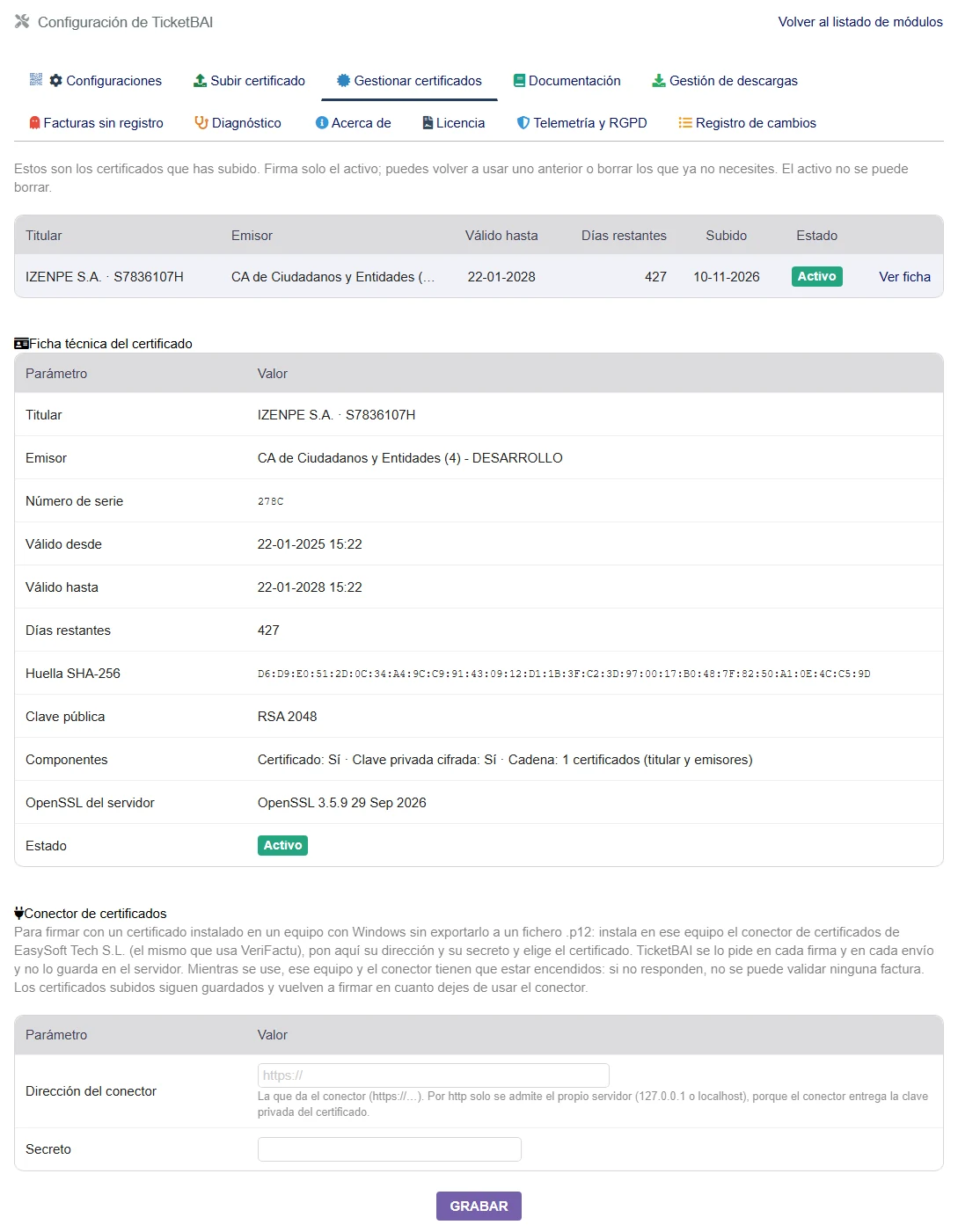
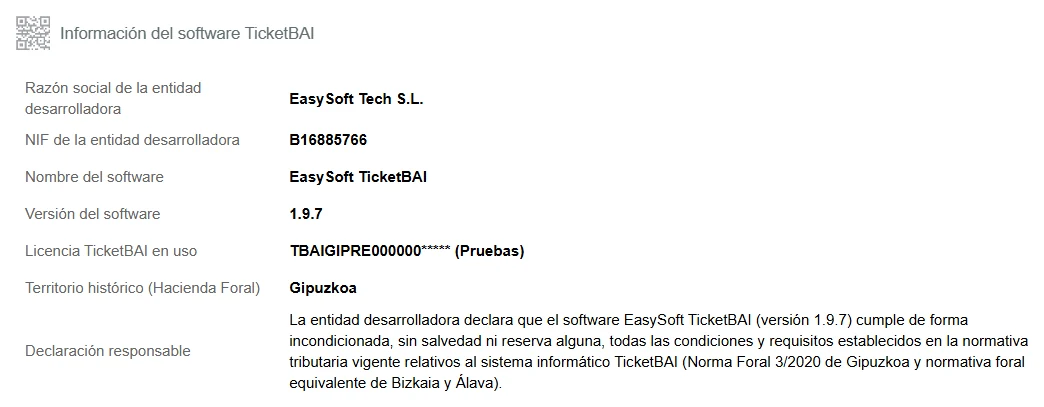
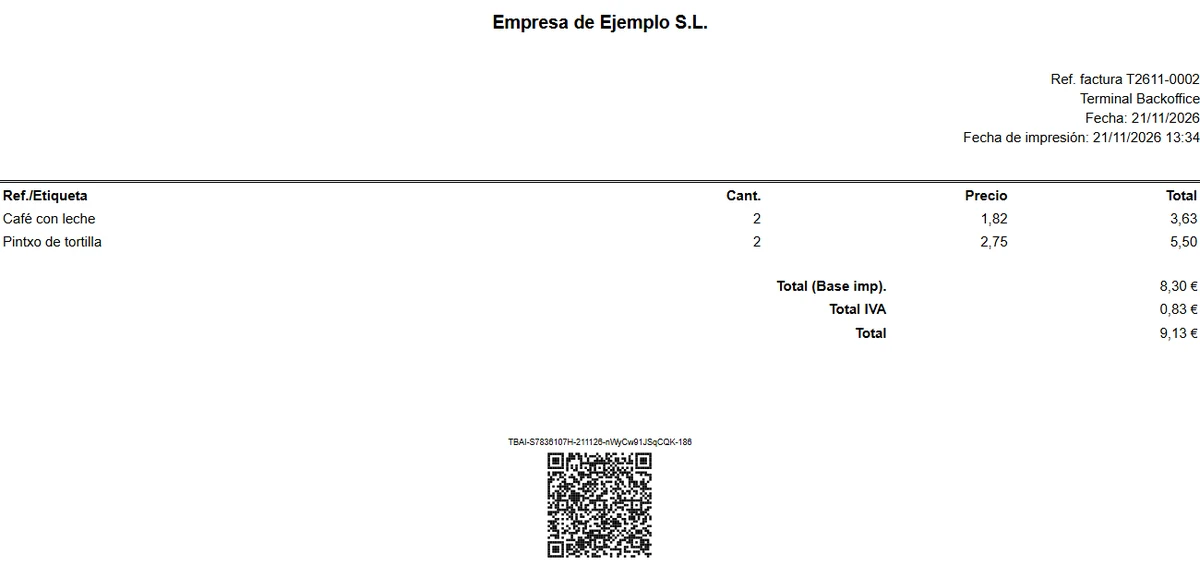
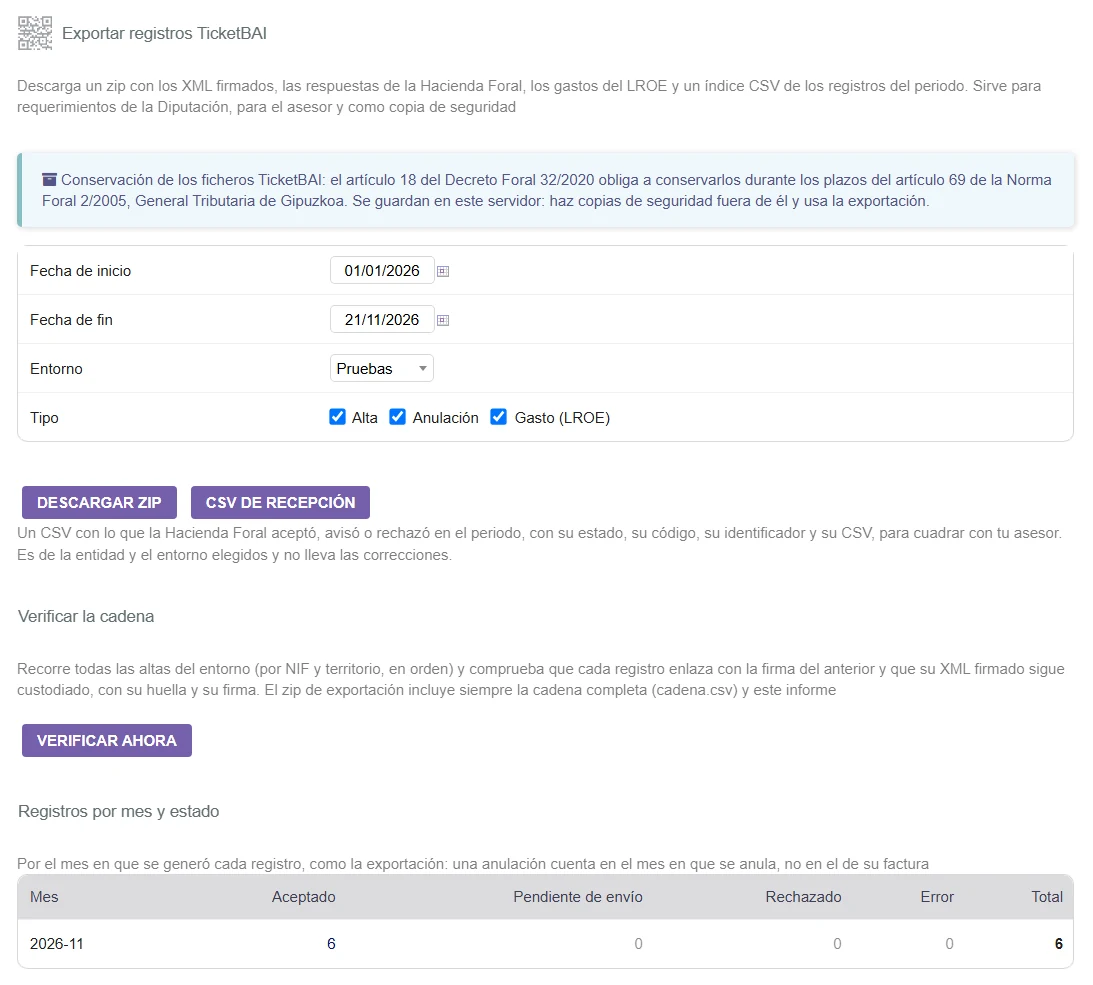
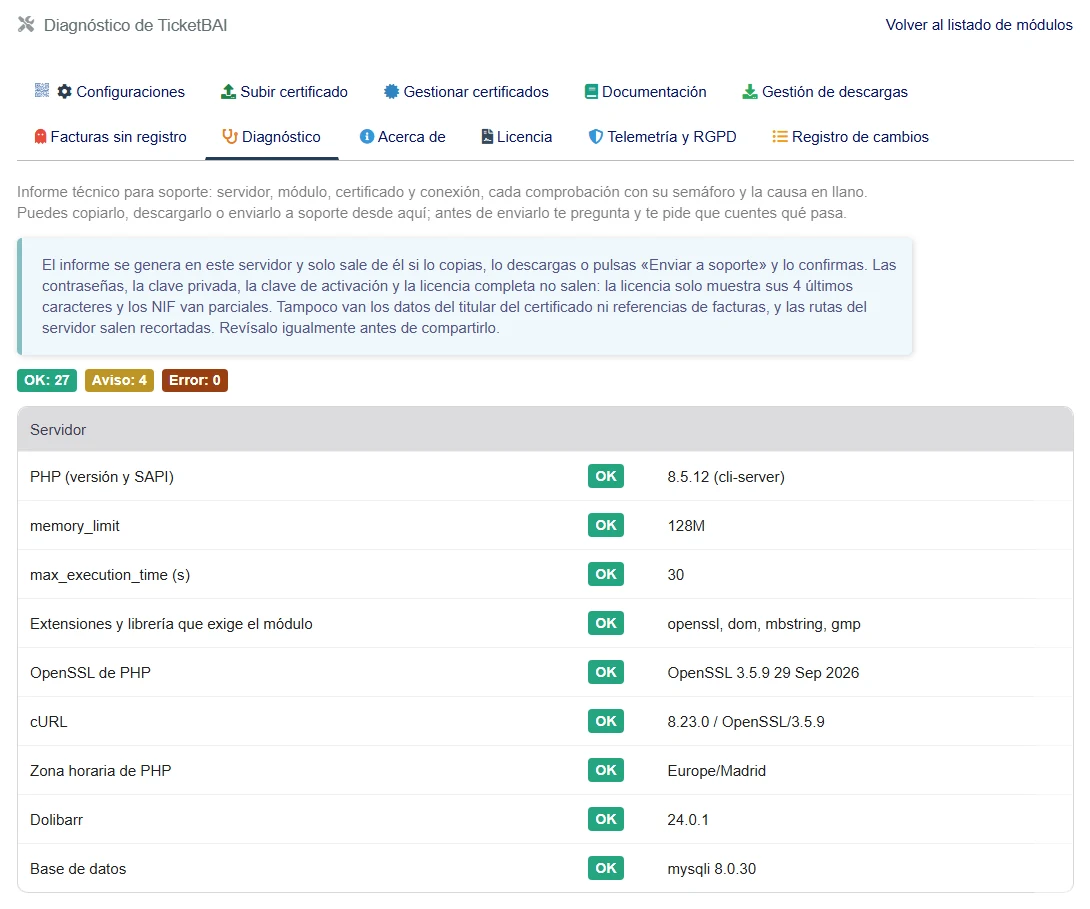
Compared with an intermediary gateway
| Aspect | Intermediary gateway or API | TicketBAI by EasySoft Tech S.L. |
|---|---|---|
| Sending to the Hacienda Foral | From their servers | Directly from your Dolibarr, with your certificate |
| Where your invoices and certificate are kept | With the provider | On your server: the signed XML files, in the Dolibarr documents folder |
| Bizkaia: LROE and supplier expenses | Depends on the service | Included, with models 140 and 240 |
| How you pay | A fee for as long as you use it | One-off payment, with 365 days of updates and optional renewal |
For integrators: the result, in the Dolibarr API
The module has no API of its own: it copies the result of each registration into extra fields of the invoice, which appear in the Dolibarr REST API, in EasyAPI and in the core invoice export. The status is a code that does not change with the language: pendiente, enviado, aceptado, rechazado, error or anulada.
GET /api/index.php/invoices/{id}
DOLAPIKEY: your_key

"array_options": {
  "options_ticketbai_estado": "aceptado",
  "options_ticketbai_identificador": "TBAI-…",
  "options_ticketbai_qr_url": "https://…",
  "options_ticketbai_entorno": "produccion"
}
What's included
The module also includes:
- Sending to the tax authority when you validate the invoice and when you take payment at the POS, enabled by default. In Gipuzkoa and Álava it can only be turned off if you declare that you are authorized for deferred sending.
- QR and TBAI identifier in the PDF with any template, in ODT templates, on TakePOS and TakumiPOS receipts and on the invoice DoliPOS prints.
- Simplified invoices up to 400 euros including VAT, or 3,000 euros if your activity is one of those in art. 4.2 of the Spanish invoicing regulation.
- Exemptions and non-subject items per line, reverse charge, exports (including the Canary Islands, Ceuta and Melilla), equivalence surcharge, personal income tax withholding (IRPF), cash accounting and sales to EU consumers under the One-Stop Shop. You choose the tax data with your adviser: the module does not infer it.
- Header disbursements, if you use them: they stay outside the taxable base and go into the record and the QR as a non-subject amount (code VT).
- Customer tax ID with its check digit verified before issuing, verification against the AEAT census and, for EU customers, in VIES.
- Preview the registration of a draft without using up a number or sending anything, and a period query to compare what the tax authority has with what the module has.
- Numbering by series, with one mask per invoice type, and a warnings email with rejected or failed records and a monthly summary.
- Chain start for anyone coming from another TicketBAI program, and four dedicated permissions: view, send and retry, configure, and cancel.
- Built-in user guide, with 49 guides in Spanish, English, Basque, Catalan and Galician. The interface is in nine languages.
EasyFacturae free if you have TicketBAI
If you use TicketBAI for Dolibarr, the EasyFacturae module is free for you. Ask for its activation key at info@easysoft.es and we will issue it at no cost.
They are different obligations and they complement each other. In the Basque Country, TicketBAI is the obligation towards your Hacienda Foral; EasyFacturae is e-invoicing to public administrations through FACe, with Facturae 3.2.2 signed in XAdES and the DIR3 codes. If you invoice a town council and also have to comply with TicketBAI, you need both.
What it's used for
- Companies and self-employed people with their tax domicile in Álava, Bizkaia or Gipuzkoa who invoice from Dolibarr.
- Retail and hospitality with a POS: simplified TakePOS, TakumiPOS or DoliPOS receipts with their QR and identifier.
- Accounting firms and integrators deploying Dolibarr in the Basque Country who want the same module for all three territories.
- Anyone coming from another TicketBAI program who has to continue their chain of records.
- Anyone who receives a request from the Diputación Foral and has to provide the signed XML files, the responses and the chain.
Getting started
You can do it yourself in four steps or leave it to us: installation and configuration are included in the purchase. Before enabling it, we review your installation (Dolibarr version, extra fields, QR code, certificate and setup), so that any problem shows up before you register the first invoice.
Tested in the test environments of the three tax authorities
Tests run against the test environments (PREP) of the three Haciendas Forales. We do not run our own tests in production: you take that step, with your certificate and your confirmation.
| Territory | What was tested | Result |
|---|---|---|
| Gipuzkoa | Full and simplified invoices, chaining, reverse charge, exports, services abroad not subject to VAT, disbursements, Zuzendu, Kontsulta and cancellation. | Accepted |
| Álava (Araba) | Invoices and a service abroad not subject to VAT, with the tax authority warnings stored. | Accepted |
| Bizkaia (Batuz) | LROE model 240, with issued invoices and expenses, and model 140. Cancellation in model 240. | Correct |
Requirements
| Dolibarr | V16 to V24 |
| PHP | 7.4 to 8.5, with the openssl, dom and mbstring extensions. The gmp extension is optional, because the module ships a fallback; zip is needed for the export and soap only to verify tax IDs against the AEAT census and in VIES. It does not need GD: the QR is generated as SVG. |
| Database | MySQL 5.7+ · MariaDB 10.3+, with permission to create triggers, which the Antifraude module uses. |
| Multi-company | Works with MultiCompany: each entity with its own setup, certificate and chain (tested on Dolibarr 16 and 24) |
| Other modules | Invoices, Scheduled jobs and Unalterable Archives, which TicketBAI enables when it is enabled. And the EasySoft Tech S.L. Antifraude module (RD 1007/2023), included in the package: TicketBAI enables it too and cannot be enabled without it. |
| Company | With its country set in Setup > Company/Organization before you enable the module. |
| Certificate | Your company's representative or entity seal certificate (FNMT, Izenpe, Camerfirma…), as .p12, .pfx or .pem with its password, or installed on a Windows computer and served by the certificate connector. |
| Server | An up-to-date PHP certificate authority list (curl.cainfo): with an old one, Bizkaia does not connect. And Dolibarr's scheduled jobs running, since they send whatever is pending. |
| Compatibility | It cannot be active at the same time as the VeriFactu module. |
| Updates | 365 days of access to updates and support; then optional renewal |
Before you buy
Active maintenance
This listing is for version 1.9.9. Every change comes with its automated test, and the suite runs on PHP 7.4 to 8.5. The end-to-end test campaign runs through the module on Dolibarr 16 with PHP 7.4 and on Dolibarr 24 with PHP 8.5 against a simulated Hacienda Foral on a local machine. Every Monday we review the bundled libraries and the technical documentation of the three tax authorities. What's new in each version can be read inside the module itself.
|
3
Haciendas Forales in one module
|
100%
complete source code
|
9
interface languages
|
365
days of updates
|
Does it fit the way you invoice?
Tell us your territory and how you invoice, and we will tell you whether TicketBAI is right for you.
info@easysoft.es www.easysoft.esIf you think this module is a fork of another one (published after the first one) or violates some terms or conditions of use (for users or vendors), you can make a report at dolistore@dolibarr.org