
Keine Produkte
* Preise können je nach Land unterschiedlich sein.
* Ein zusätzlicher Beitrag kann zum Zeitpunkt der Zahlung hinzugefügt werden.
Produkt erfolgreich zum Warenkorb hinzugefügt
Der Warenkorb enthält 0 Artikel. Es befindet sich 1 Artikel im Warenkorb.
Produkt erfolgreich zum Warenkorb hinzugefügt
Der Warenkorb enthält 0 Artikel. Es befindet sich 1 Artikel im Warenkorb.
Neue Produkte
-
Dolibarr The Book 24.0 commerce & Industry (English version)
Step-by-step guide, written in English, to run a commercial or industrial company with Dolibarr™ 24: sales and purchases, stock, warehouses and inventories, shipments and receptions, bills of materials and manufacturing, TakePOS point of sale, e-invoicing, accounting and bank. Illustrated with screenshots, A4 PDF format.
16,67 € -
Dolibarr The Book 24.0 for services (English version)
Step-by-step guide in English to run a service company with Dolibarr™ 24: quotes and online signature, contracts, interventions, tickets, projects, time entry and time-based invoicing, WebPortal customer portal, resources, BookCal appointments, e-invoicing and accounting. Illustrated with screenshots, A4 PDF format.
16,67 €
Customisecard - CODE 42
c2606d20230522141729
Customize the view of your cards on Dolibarr to hide/modify/bold additional fields.
|
|
Mehr Infos...
Customise Card
Customize your pages on Dolibarr
Module version : auto
Compatibility with Dolibarr auto à auto
 Description
This module adds the ability to customize the various Dolibarr card views.
When you are on a customizable view, an eye icon appears at the top right of your screen. Click on it to enter edit mode.
This editing mode allows you to :
Edit an extrafield
Hide an extrafield
Add a tooltip to an extrafield
Bold an extrafield
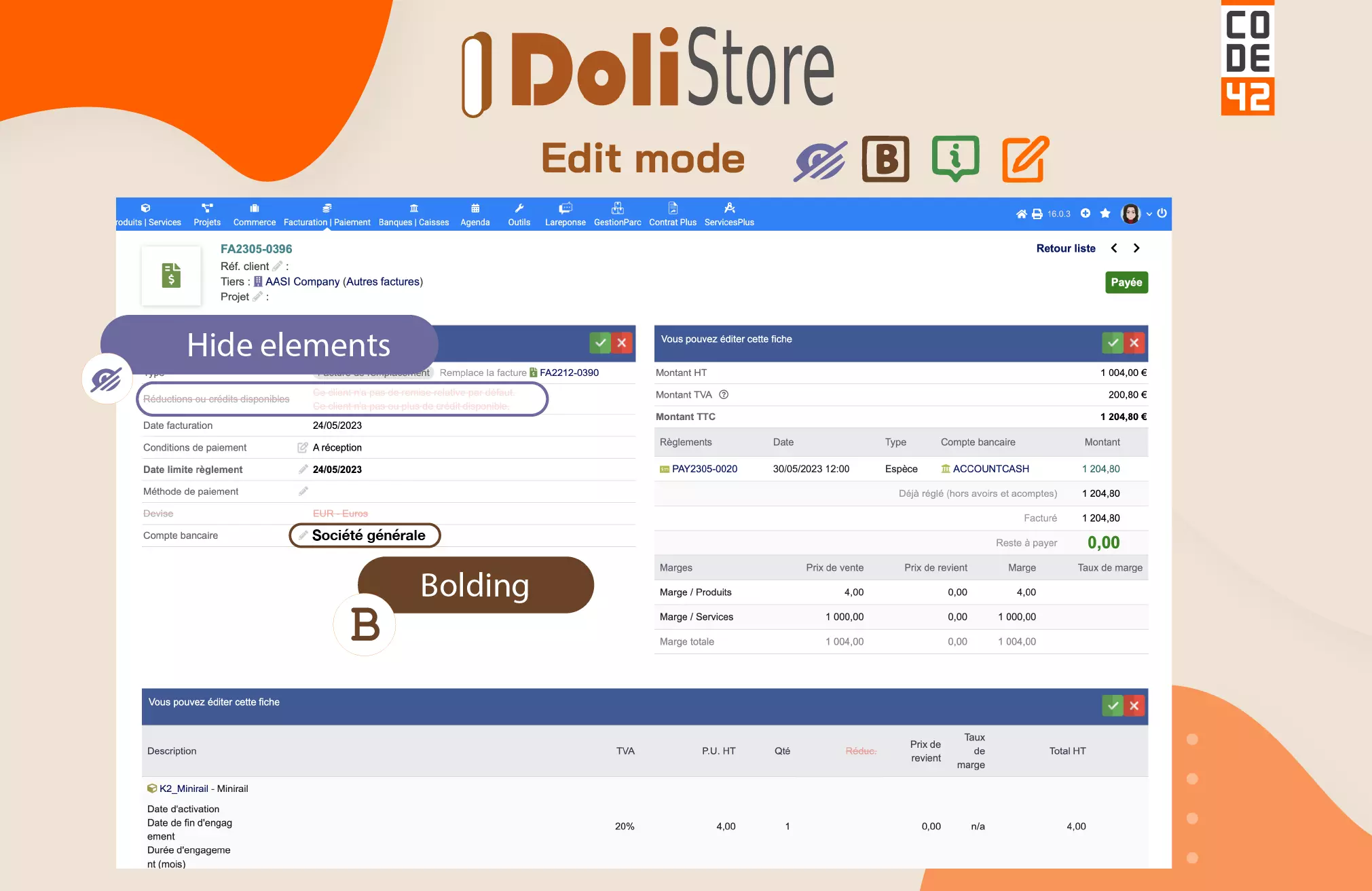
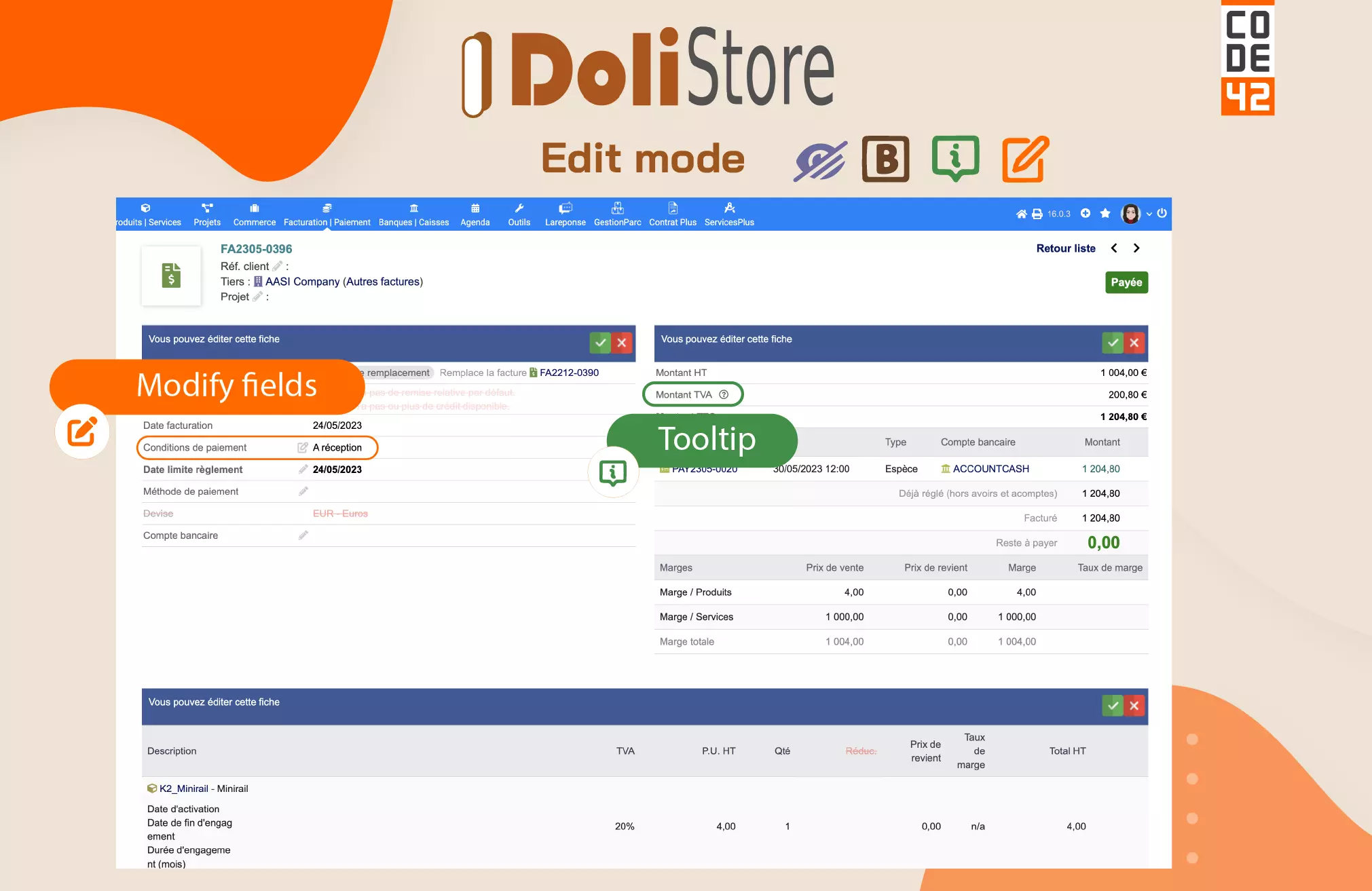
Customize Card - Code 42 gives you complete customization of the interface, allowing you to take full control of your documents.
A video presentation is available by clicking below.

This layout lets you sort your information by relevance. Customize them as you wish.
the installation of H2G2
is required for all our modules :
 Installation
Included in the Dolistore offer:
- ; Access to updates for 6 months
- ; Bug fixes
Not included in the offer :
- ; Help with the installation and initialization of the module
- ; User training
Our Code 42 modules :

Dolibarr all versions
Download the module archive file
Go to the menu :
Home>Configuration>Modules>Deploy
Submit the zip / The module is now available and can be activated.
Updates
Download the new .zip file
available on the Dolistore module sheet following an update.
Our modules are not yet compatible with PHP 8
 Contact & Support



If you think this module is a fork of another one (published after the first one) or violates some terms or conditions of use (for users or vendors), you can make a report at dolistore@dolibarr.org