
No products
* Prices may vary depending on your country.
* An additional contribution can be added at the time of payment.
Product successfully added to your shopping cart
There are 0 items in your cart. There is 1 item in your cart.
Product successfully added to your shopping cart
There are 0 items in your cart. There is 1 item in your cart.
New products
-
QuickCount - Tactile Inventory
Revolutionary tactile inventory for Dolibarr. Swipe interface for ultra-fast counting: swipe right = counted, left = missing. Real-time collaboration, category filtering, gap analysis. Export Excel/PDF. Transform inventory from tedious to efficient. V11+ compatible.
99.00 € -
Stock by Warehouse
This module provides a stock list of each product for each warehouse or depot, displaying warehouses in columns and products in rows. Columns (i.e., warehouses) will vary dynamically when adding or removing warehouses or depots.
10.00 €
myClock : Time, Breadcrump, Pomodoro and Calculator
c718d20180515142933
A small clock always visible in Dolibarr to keep an eye on your main box and actions of days ( interventions , tasks, events) Customizable according to your taste and needs the presence of plugin include breadcrump, pomodoro and calculator
|
|
More info...
 |
|
Module presentation presentation video
The MyClock module is a small, always-visible clock in Dolibarr, designed to optimize your time management.
It offers several features:
Monitoring Daily Widgets and Actions
Keep an eye on your main widgets and daily actions, such as interventions, tasks, and sales actions.
Pomodoro Timer
Start a Pomodoro timer to efficiently manage your work and break periods.
Breadcrumbs
Display a breadcrumb trail of visited items to quickly navigate to previously viewed items.
Calculator
Access a built-in calculator to perform simple calculations without leaving Dolibarr.
Task Timer
Start a timer on a project task to precisely track the time spent on each activity.
The appearance and content of MyClock widgets can be customized according to your preferences and needs.
The module appears in the Dolibarr sidebar menu, and you can set the interface (clock, Pomodoro, tracker) you want to display by default by clicking the associated icon.
Latest developments of the module
| 23.0.+4.3.0 (2025-12) |
|
| 22.0.+4.2.0 (2025-08) |
|
| 21.0.+4.2.1 (2025-05) |
|
|
|
 French -
  English -
  Italian -
  German
 Other modules may interest you
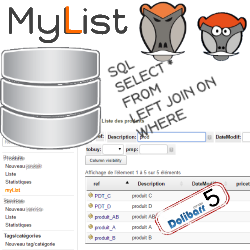 |
MyList allows the creation of personalized dynamic lists from the information contained in your database processed by an SQL query and makes them accessible from the Dolibarr menus. |
 |
CustomTooltip improves the display of tooltip in Dolibarr on third parties, contacts, members, projects, products / services and calendar events by adding various information (additional fields, stock status, billing in progress ") And extends the display time. |
 |
This module brings together a set of Dolibarr optimization and customization features. - Optimization of the interface in a mobility situation - Showing a percentage discount on parts - conservation of stocks shipped by customer |
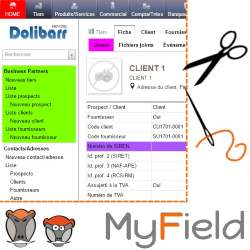 |
This module offers the possibility of customizing the native and additional fields of dolibarr as well as the menus and buttons |
If you think this module is a fork of another one (published after the first one) or violates some terms or conditions of use (for users or vendors), you can make a report at dolistore@dolibarr.org